28
6. Advanced settings
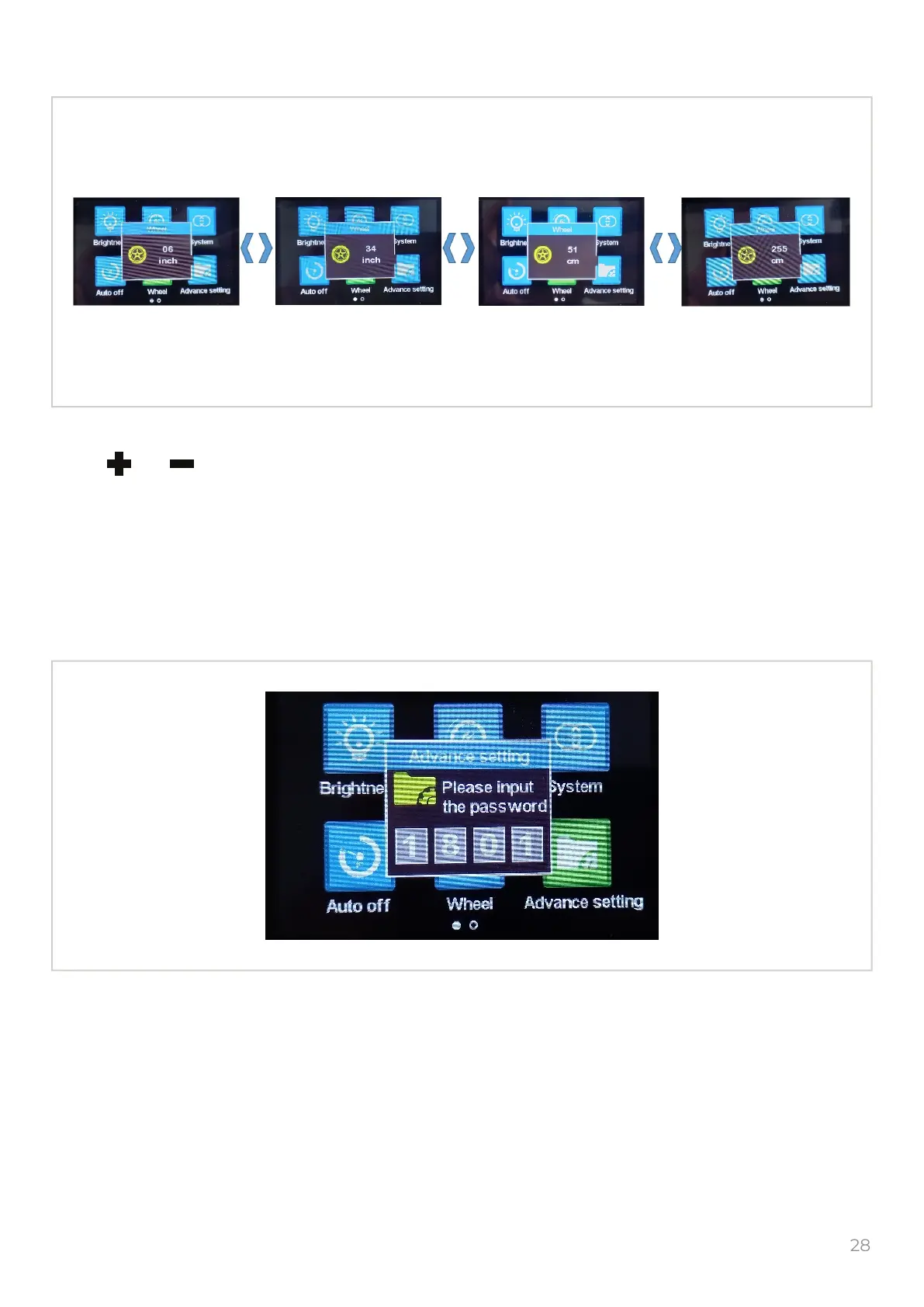
The “Advance setting” only for service center.
Select the “Wheel” icon and push the to get into the Wheel size settings.
Push or to set the diameter in inches or circumference in centimeters of the afterward
wheel.
By default must be 34 in., do not change this value unless necessary, the incorrect speed
measurement can be.
To return in previous menu push the button.
M
M
5. Wheel size


 To Next Page