About this task
Steps
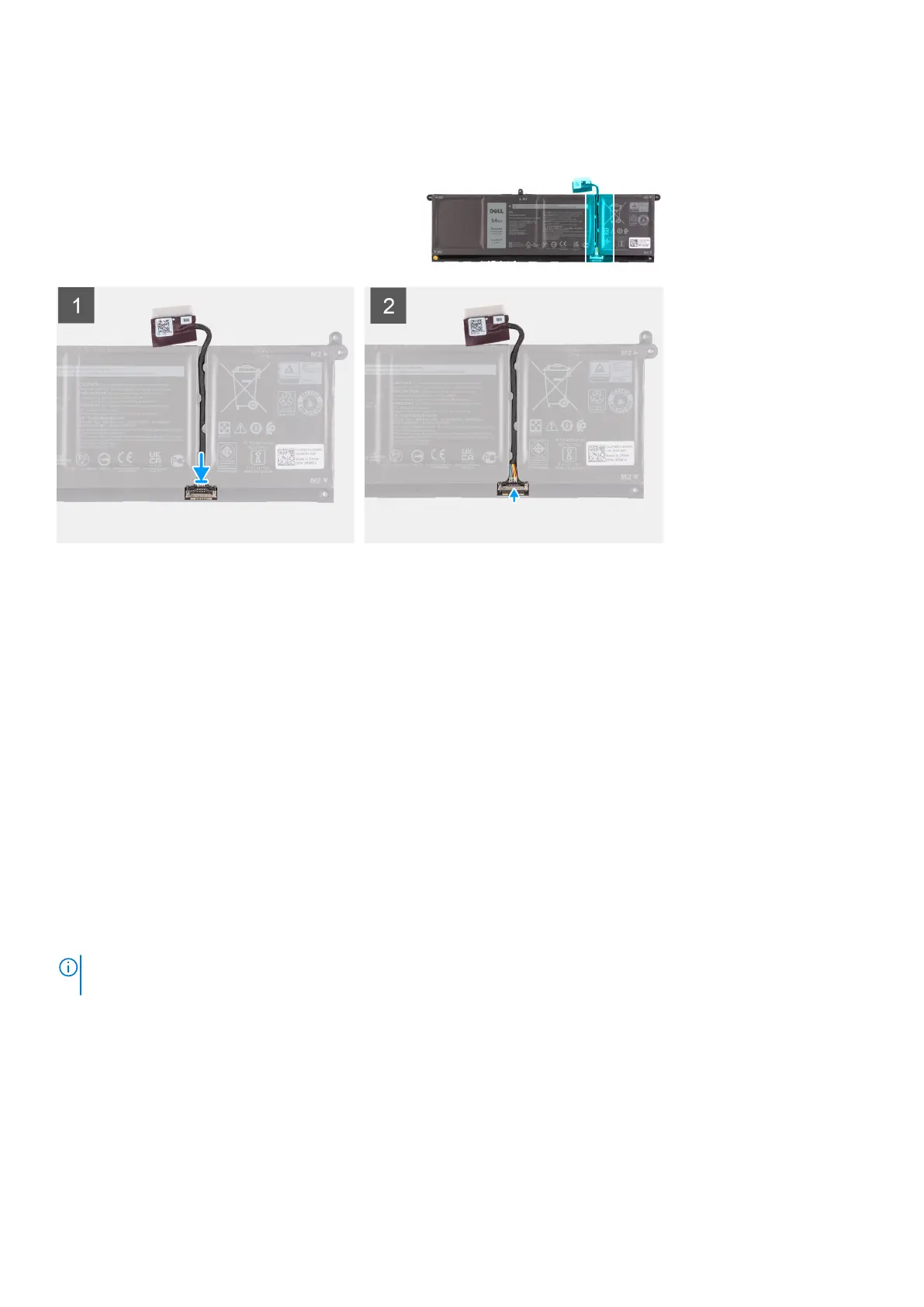
1. Connect the battery cable to the connector on the battery.
2. Close the latch on the battery cable connector to secure it to the battery.
Memory modules
Removing the memory module
Prerequisites
1. Follow the procedure in before working inside your computer.
2. Remove the SD card.
3. Enter service mode.
4. Remove the base cover.
About this task
The following images indicate the location of the memory module and provides a visual representation of the removal procedure.
NOTE:
Depending on the configuration ordered your computer may come shipped with one or two memory module
installed.
Removing and installing components 27





 To Next Page