Steps
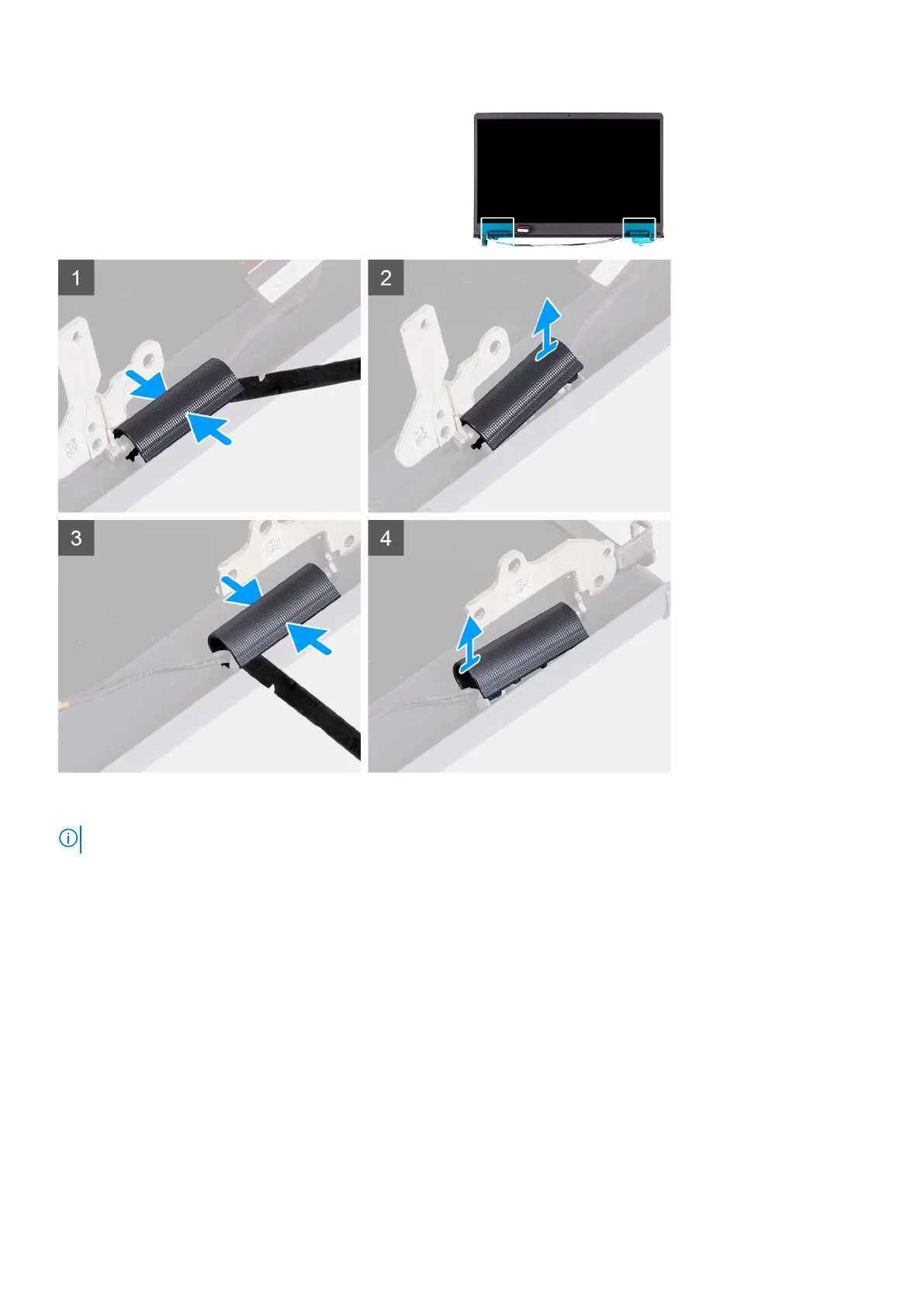
NOTE: Before removing the display hinge caps, open the display hinges to at least 90 degrees.
1. Pinch the left-hinge cap in the center.
2. Use the scribe to pry open the left-hinge cap from the openings on its inner side.
3. Lift the inner side of the left-hinge cap and remove it from the left hinge.
4. Pinch the right hinge cap in the center.
5. Use the scribe to pry open the right-hinge cap from the openings on itsinner side.
6. Lift the inner side of the right-hinge cap and remove it from the right hinge.
Installing the hinge caps
Prerequisites
If you are replacing a component, remove the existing component before performing the installation procedure.
About this task
The following images indicate the location of the hinge caps and provides a visual representation of the installation procedure.
Removing and installing components
55






 To Next Page