Steps
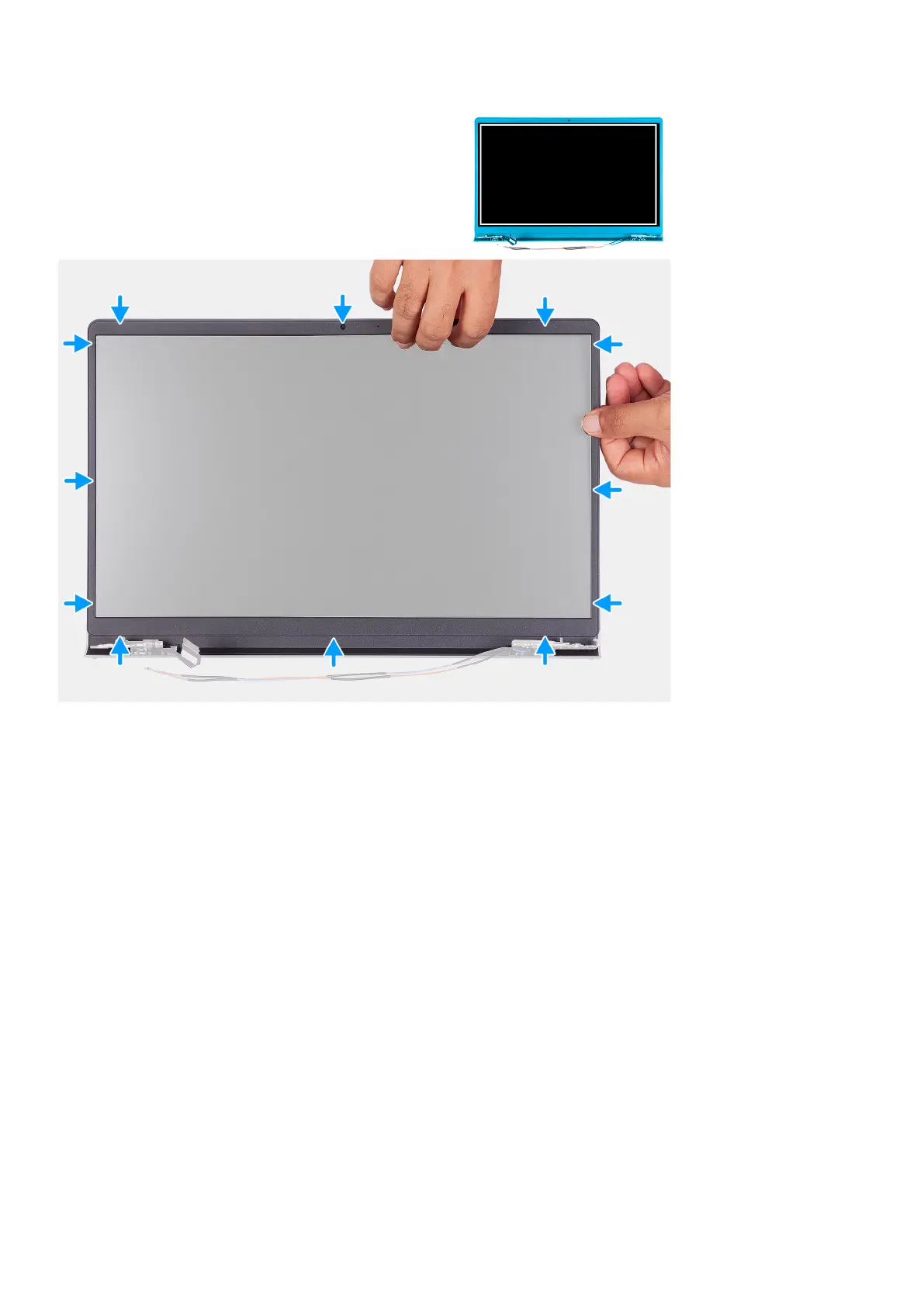
1. Place the display panel and display assembly on a clean and flat surface.
2. Place the display bezel on the display assembly.
3. Align the tabs on the display bezel to the slots on the display assembly.
4. Press down on the display bezel and snap the display bezel in place.
Next steps
1. Install the display assembly.
2. Install the base cover.
3. Exit service mode.
4. Install the SD card.
5. Follow the procedure in after working inside your computer.
Hinges
Removing the hinges
Prerequisites
1. Follow the procedure in Before working inside your computer.
2. Remove the SD card.
Removing and installing components
59







 To Next Page