Next steps
1. Install the IO board.
2. Install the base cover.
3. Exit service mode.
4. Install the SD card.
5. Follow the procedure in after working inside your computer.
System board
System board connectors
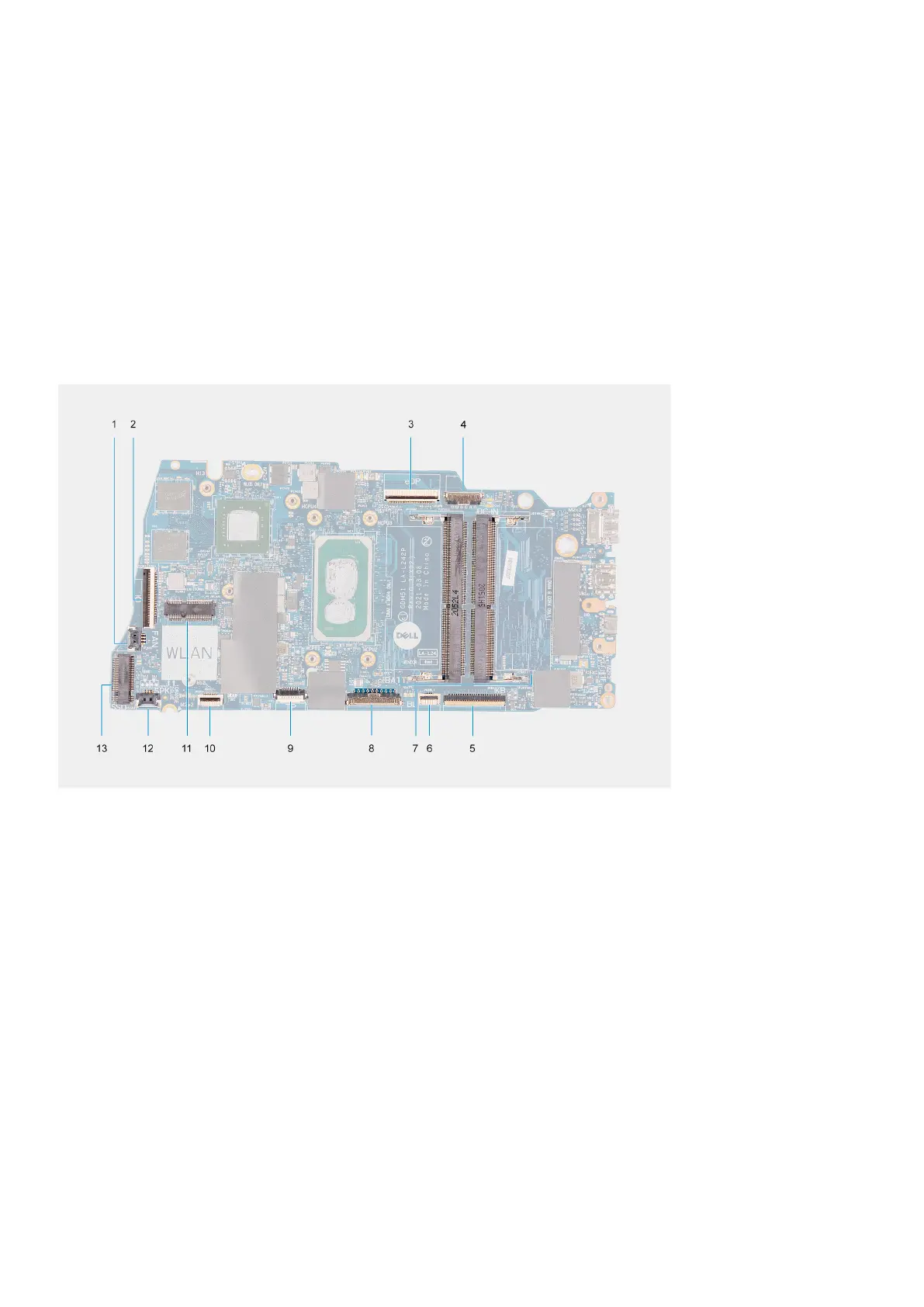
The following image shows the different connectors on the system board.
1. Fan connector
2. IO board FFC connector
3. eDP connector
4. DC-in port connector
5. Keyboard FFC connector
6. Backlit FFC connector
7. Memory module connectors
8. Battery connector
9. Touchpad FFC connector
10. Hard-drive FFC connector
11. WLAN connector
12. Speaker cable connector
13. SSD connector
Removing the system board
Prerequisites
1. Follow the procedure in before working inside your computer.
2. Remove the SD card.
76
Removing and installing components





 To Next Page