3. Remove the base cover.
4. Remove the battery.
5. Remove the WLAN card.
6. Remove the memory modules
7. Remove the display assembly.
8. Remove the SSD.
9. Remove the system fan.
10. Remove the heatsink.
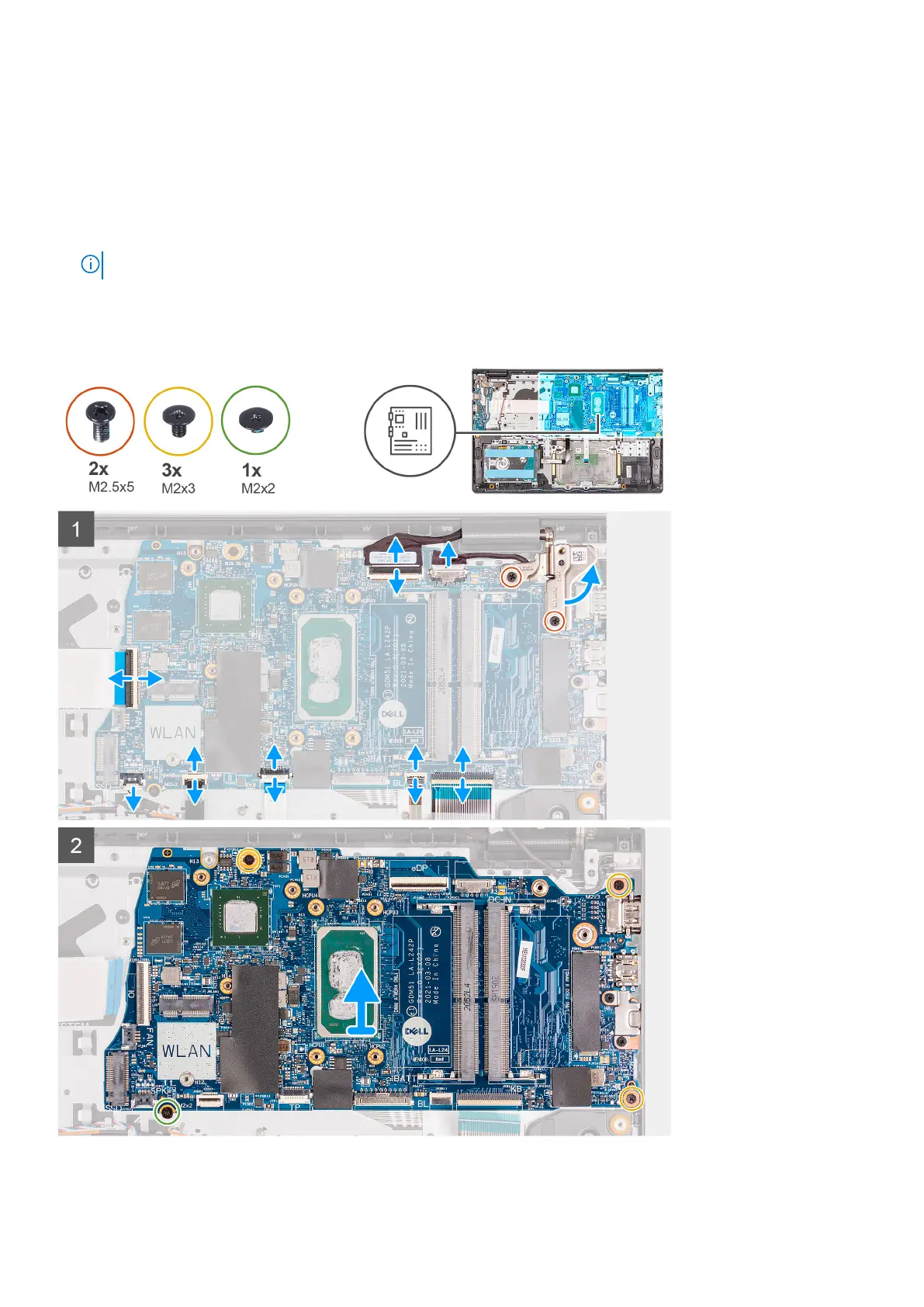
NOTE: The system board can be removed along with the heat sink.
About this task
The following images indicate the location of the system board and provides a visual representation of the removal procedure.
Removing and installing components 77





 To Next Page