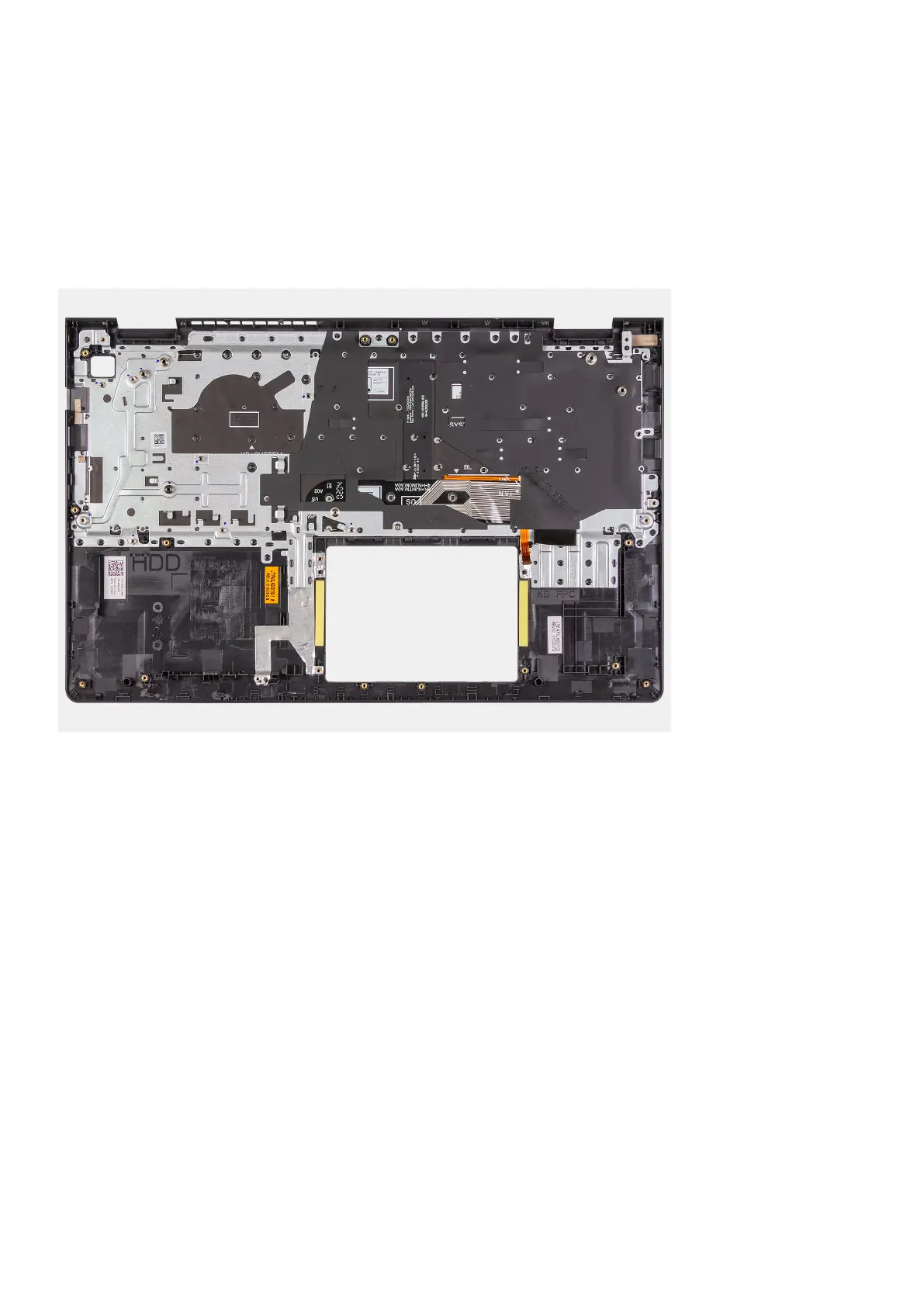
Installing the palm-rest and keyboard assembly
Prerequisites
If you are replacing a component, remove the existing component before performing the installation process.
About this task
The following images indicate the location of the palm-rest and keyboard assembly and provides a visual representation of the
installation procedure.
Steps
Place the palm-rest and keyboard assembly on a flat and clean surface, and perform the post-requisites to install the palm-rest
and keyboard assembly.
Next steps
1. Install the system board.
2. Install the power adapter port.
3. Install the touchpad.
4. Install the IO board.
5. Install the heatsink.
6. Install the system fan.
7. Install the speakers.
8. Install the hard drive assembly.
9. Install the SSD.
10. Install the display assembly.
11. Install the memory modules
12. Install the WLAN card.
13. Install the battery.
14. Install the base cover.
15. Install the SD card.
16. Follow the procedure in after working inside your computer.
Removing and installing components
83






 To Next Page