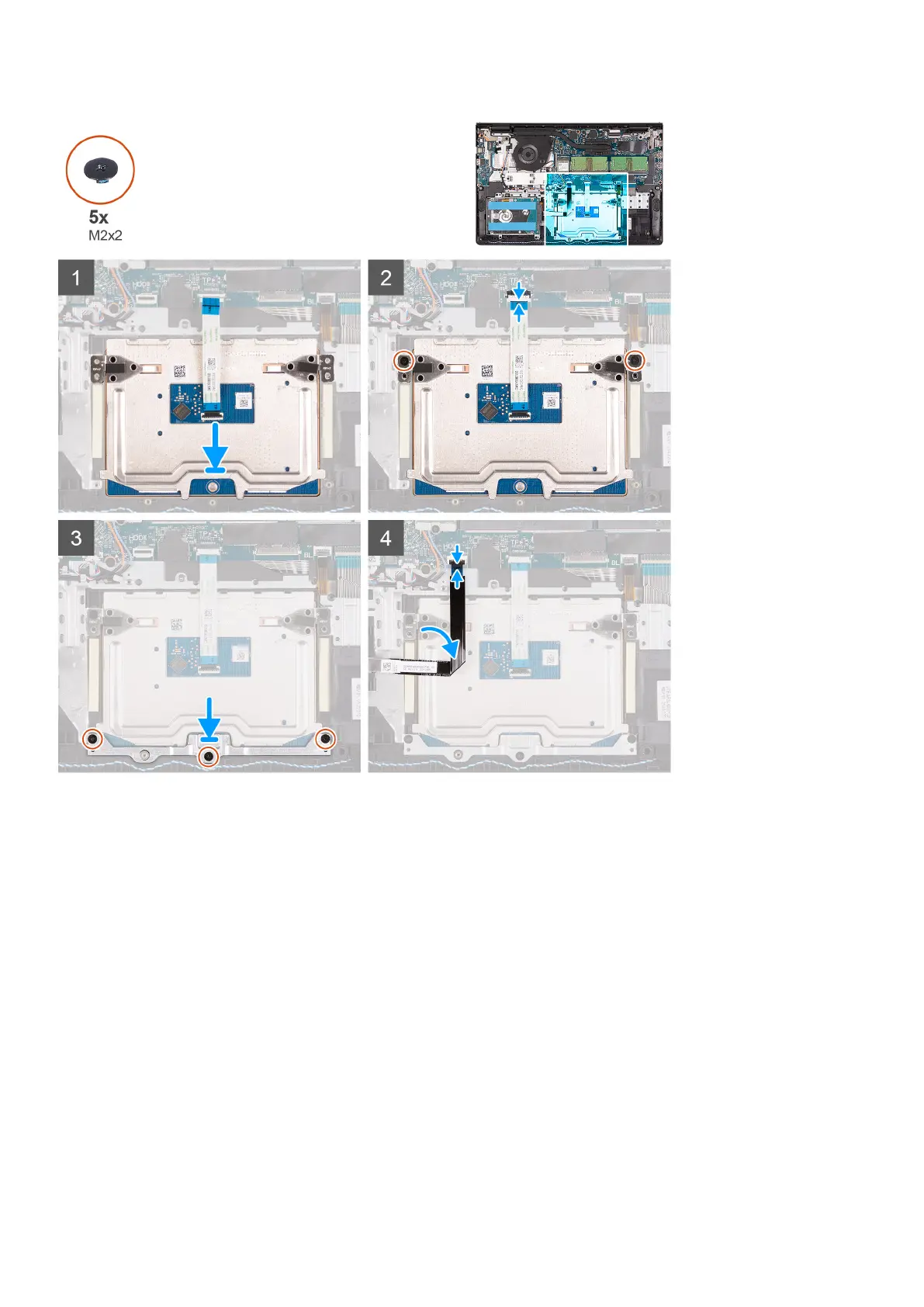
Steps
1. Align and place the touchpad module onto the computer.
2. Reconnect the touchpad FFC to the touchpad module.
3. Install the two (M2x2) screws to secure the touchpad module to the palm-rest and keyboard assembly.
4. Install the touchpad bracket on the touchpad and secure it using the three (M2x2) screws.
5. Reconnect the hard-drive FFC to the system board.
Next steps
1. Install the battery.
2. Install the base cover.
3. Install the SD card.
4. Follow the procedure in after working inside your computer.
Removing and installing components
49





 To Next Page