support.dell.com Rack Installation Guide 1-11
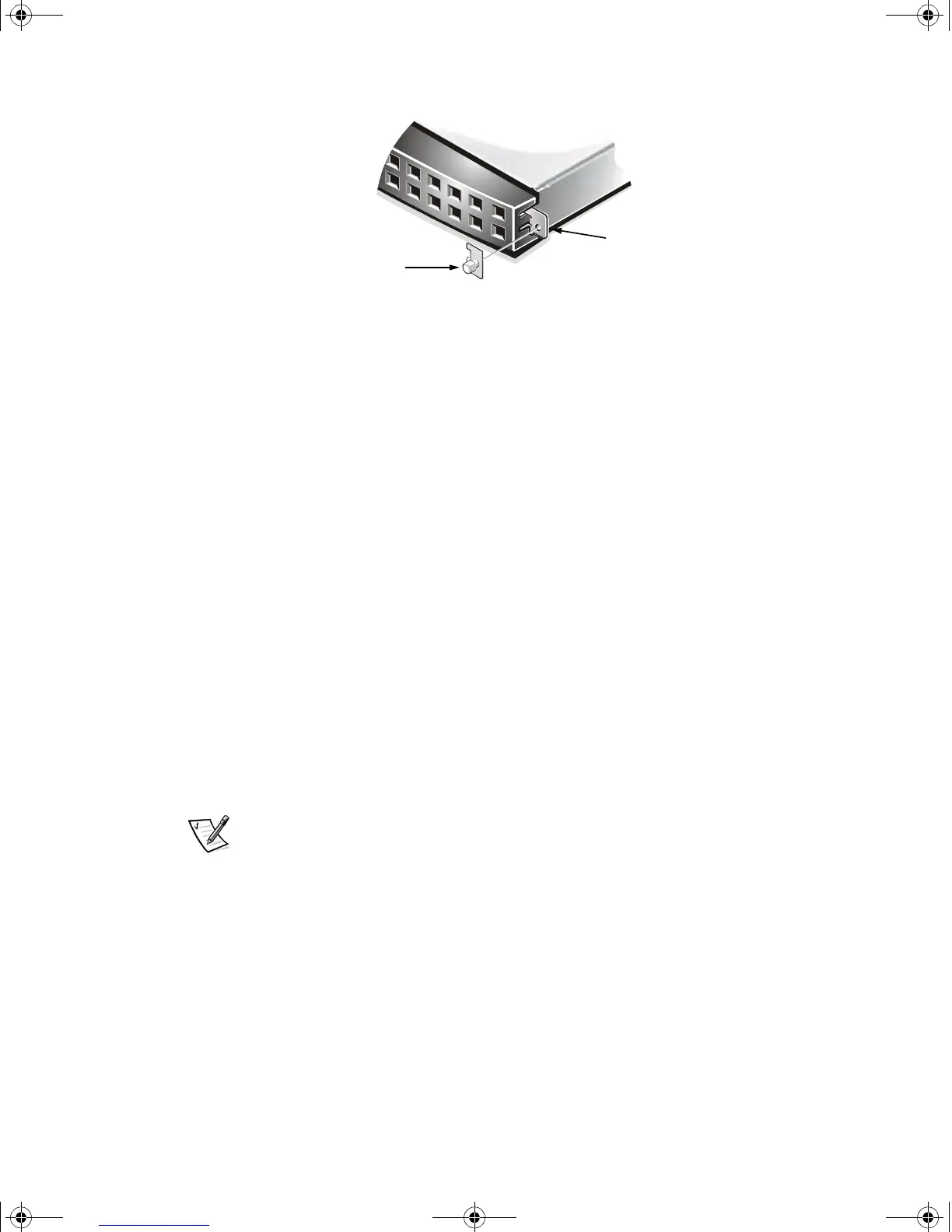
Figure 1-9. Installing the Tab Cover
3. Hold the tab cover firmly onto the server tab and engage the thumbscrew with
the receiving fastener on the slide bracket.
4. Repeat steps 1 through 3 to install the tab cover on the other side of the system.
This completes the two-post flush-mount rack installation.
Four-Post Rack Kit Installation
This procedure provides instructions for installing a Dell system in a four-post rack cab-
inet. Both 24-U and 42-U racks are accommodated.
Rack Kit Contents
The rack kit includes the following items (see Figure 1-10):
• One pair of slide assemblies
• One cable-management arm
• Four 10-32 x 0.5-inch pan-head Phillips screws
• Six 10-24 x 0.375-inch pan-head Phillips screws
• One 1-U template for a four-post rack
NOTE: If you purchased a Dell rack along with your system, the slide assemblies may
be preinstalled in the rack.
server tab
thumbscrew
2D786bk0.book Page 11 Thursday, January 18, 2001 8:44 PM



 To Next Page