1-14 Rack Installation Guide
Removing the Doors From the 42-U Rack
CAUTION: To prevent personal injury due to the size and weight of the
doors, never attempt to remove the doors by yourself.
CAUTION: Store the two doors where they will not injure someone if the
doors accidently fall over.
This procedure provides instructions for removing doors from earlier 42-U Dell racks.
If you have a newer Dell PowerEdge 4210 rack, refer to the procedures contained in
the Dell PowerEdge 4210 Rack Installation Guide.
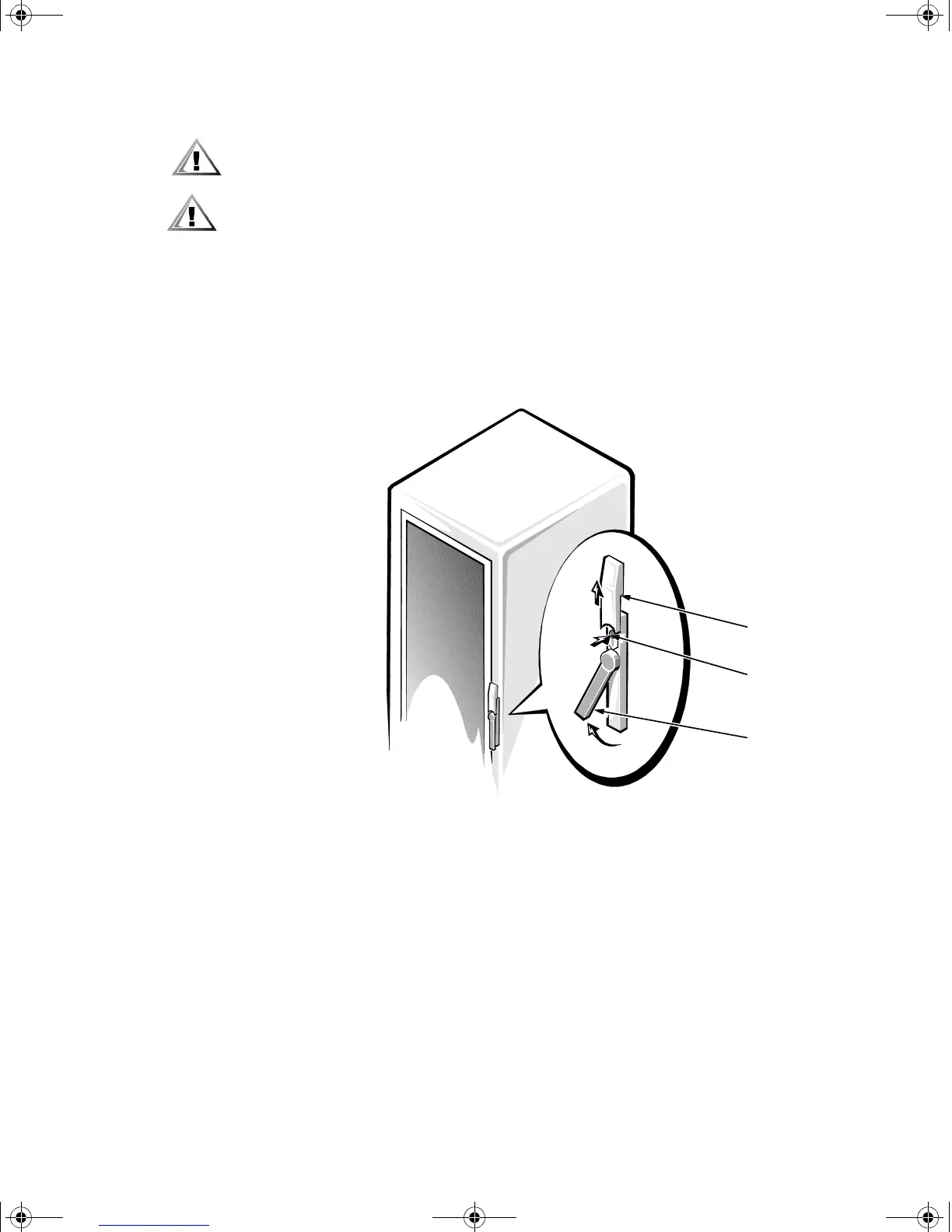
1. Open the latch on the front door (see Figure 1-11).
Slide the button cover up as far as it will go, press the push button, rotate the
handle clockwise until the latch releases, and then pull the door open.
Figure 1-11. Opening the 42-U Rack Door
push button
push-button
cover
handle
2D786bk0.book Page 14 Thursday, January 18, 2001 8:44 PM



 To Next Page