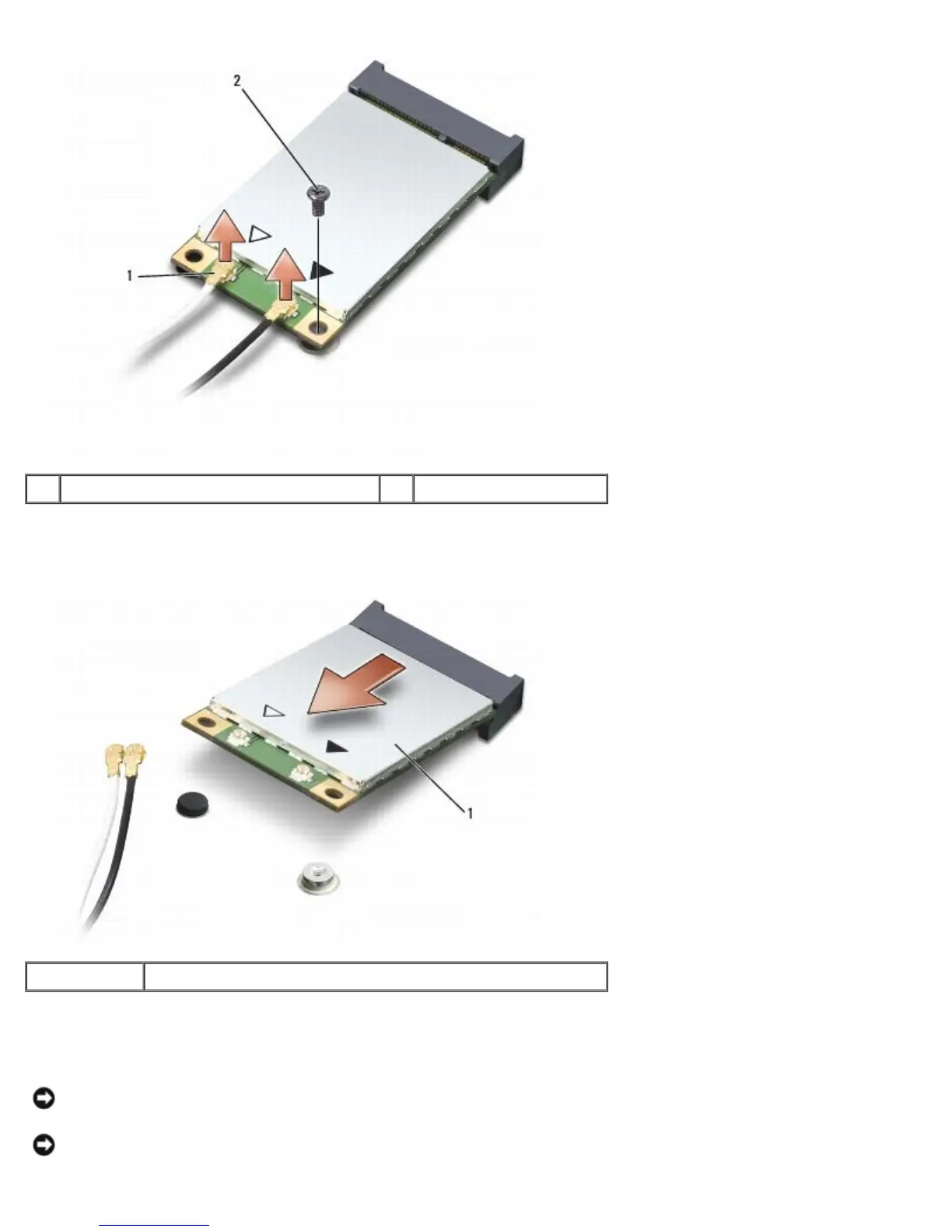
1 antenna cable connectors 2 securing screw
5. Release the Mini-Card by removing the securing screw.
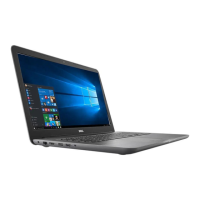
6. Lift the card out of its system board connector.
1 Mini-Card
Replacing Mini-Card
NOTICE: The connectors are keyed to ensure correct insertion. If you feel resistance, check the connectors on the card
and on the system board, and realign the card.
NOTICE: To avoid damage to the Mini-Card, never place cables under the card.





 To Next Page