Back to Contents Page
Processor Thermal-Cooling Assembly
Dell™ 500 Service Manual
Removing the Processor Thermal-Cooling Assembly
CAUTION: Before you begin the following procedure, follow the safety instructions in the Product
Information Guide.
1. Follow the instructions in
Before You Begin.
2. Turn the computer over.
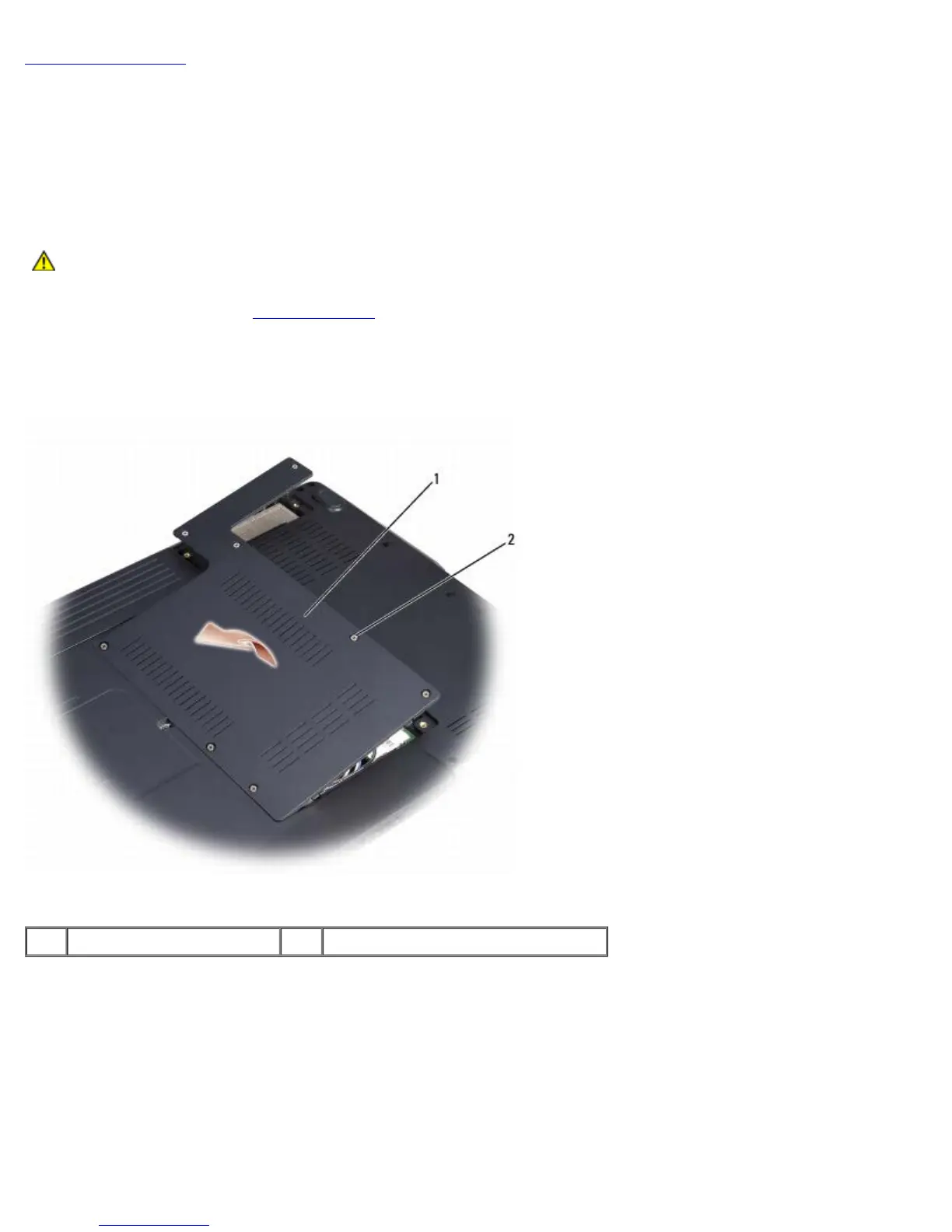
3. Remove the eight captive screws securing the bottom cover and remove it.
1 module cover 2 captive screws (8)
4. In sequential order, loosen the five captive screws securing the processor thermal-cooling assembly to the system
board, then carefully lift the processor thermal-cooling assembly out of the computer.





 To Next Page