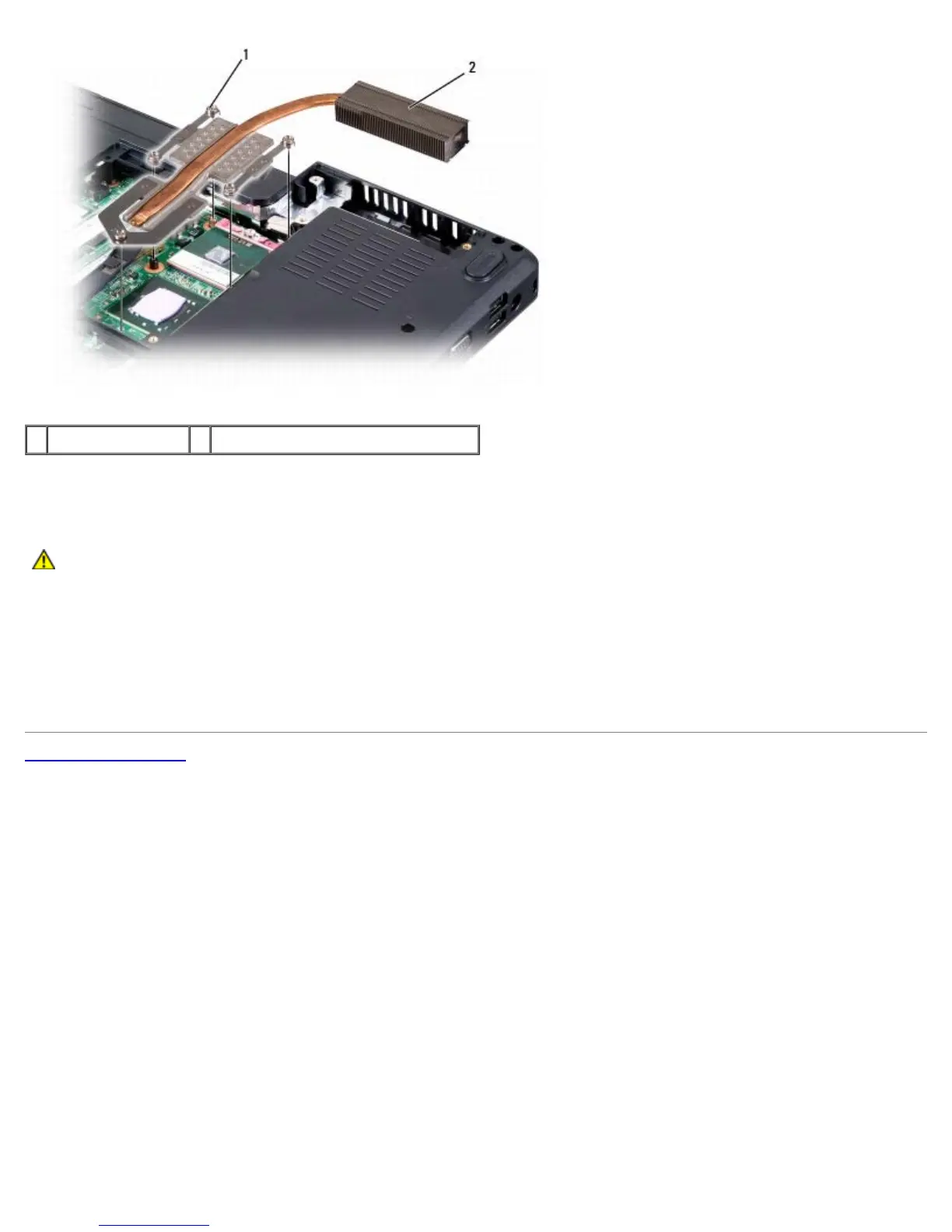
1 captive screws (5) 2 processor thermal-cooling assembly
Replacing the Processor Thermal-Cooling Assembly
CAUTION: Before you begin the following procedure, follow the safety instructions in the Product
Information Guide.
1. Align the five captive screws on the processor thermal-cooling assembly with the screw holes on the system board.
2. In sequential order, tighten the five captive screws to secure the processor thermal-cooling assembly to the system
board.
3. Replace the bottom cover and tighten the eight captive screws.
Back to Contents Page












 To Next Page