Back to Contents Page
Optical Drive
Dell™ 500 Service Manual
Removing the Optical Drive
1. Follow the procedures in Before You Begin.
2. Turn the computer over.
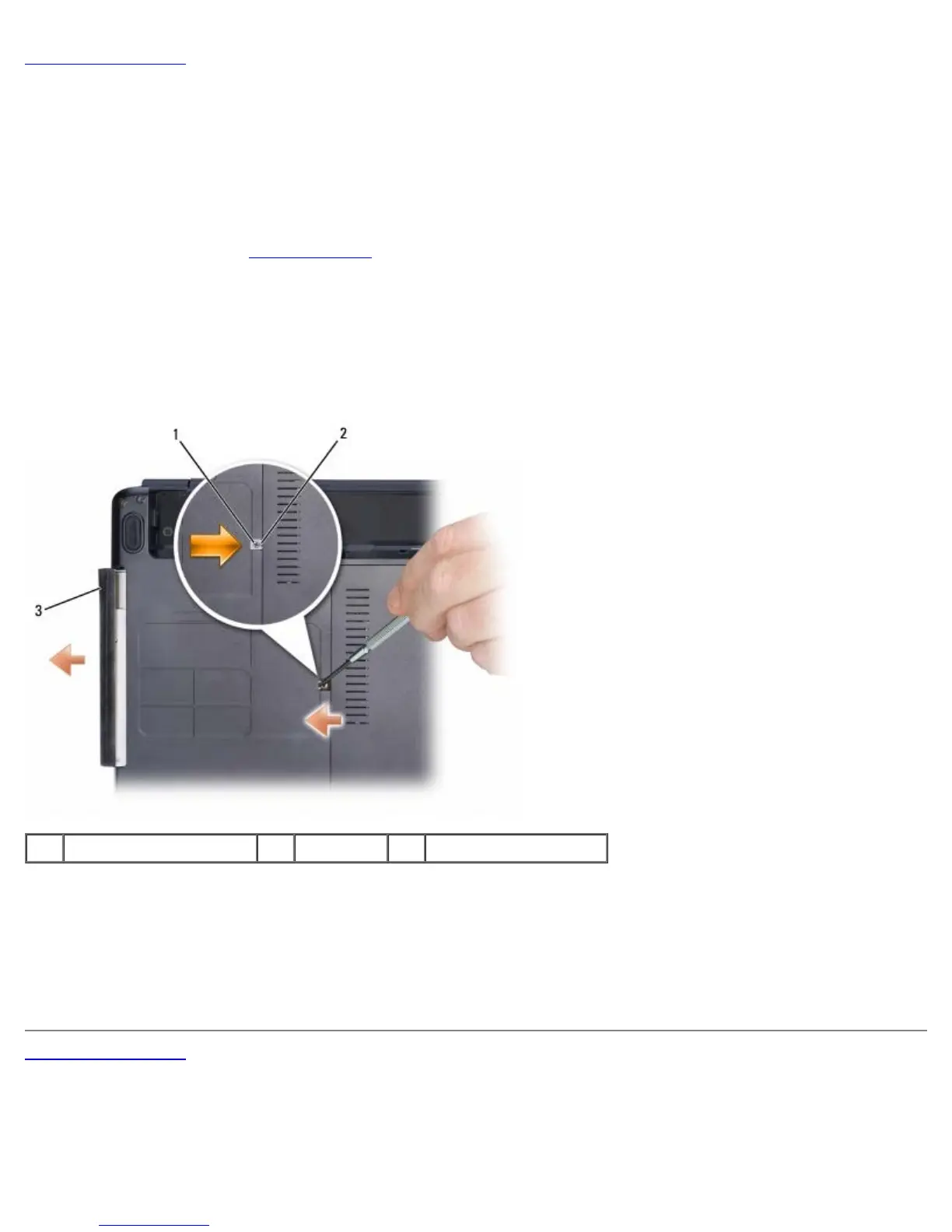
3. Remove the locking screw from the optical drive.
4. Using a plastic scribe or screwdriver, push the notch to release the optical drive from the bay.
5. Slide the optical drive out of the bay.
1 locking screw 2 notch 3 optical drive
Replacing the Optical Drive
1. Slide the optical drive into the bay.
2. Replace and tighten the locking screw.
Back to Contents Page





 To Next Page