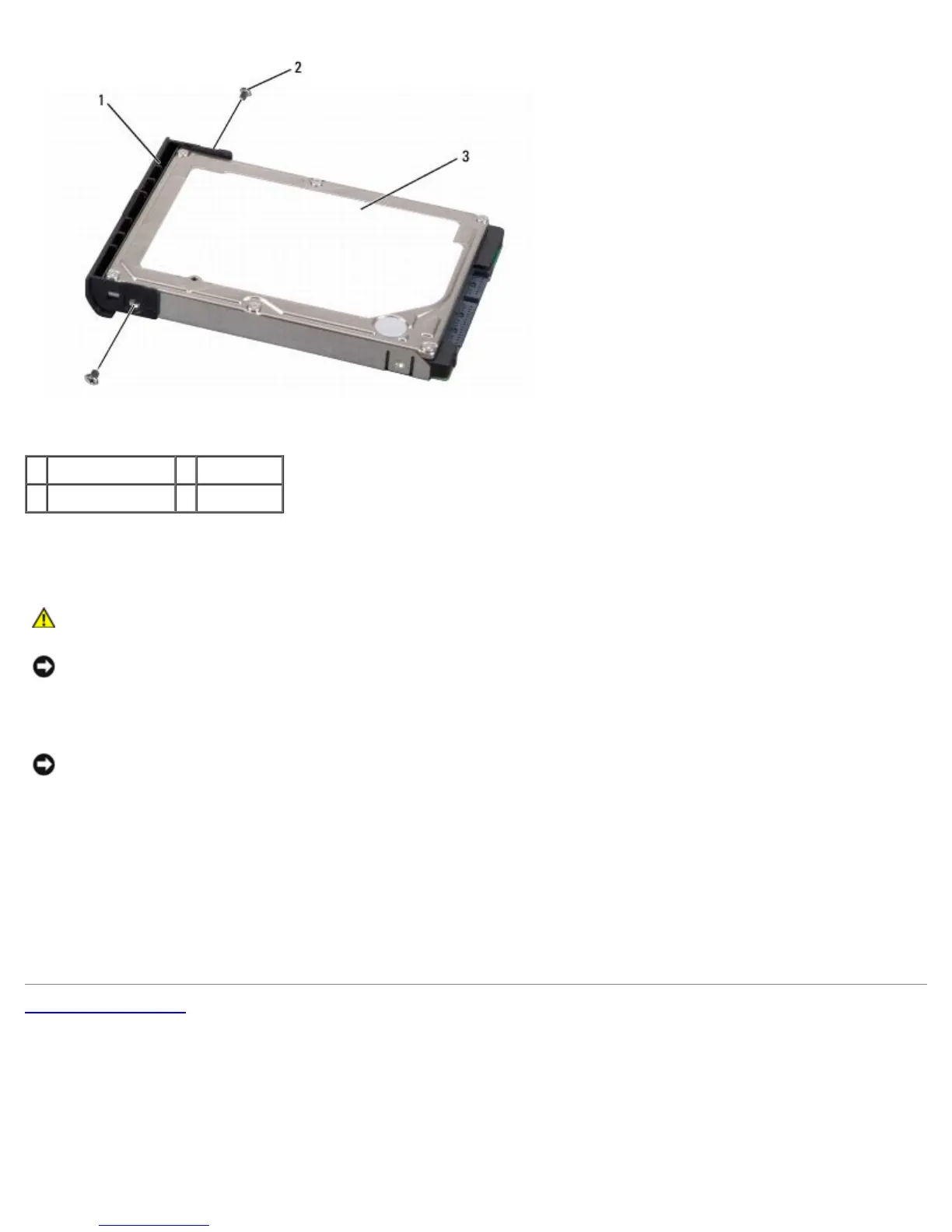
1 hard drive cover 2 screws (2)
3 hard drive
Replacing the Hard Drive
CAUTION: Before you begin any of the procedures in this section, follow the safety instructions in the
Product Information Guide.
NOTICE: Hard drives are extremely fragile. Exercise care when handling the hard drive.
1. Replace the hard drive cover and tighten the two screws to secure the cover to the hard drive.
NOTICE: Use firm and even pressure to slide the hard drive into place. Excessive force may result in damage to the
connector.
2. Slide the hard drive into the hard drive bay until the drive is fully seated.
3. Replace the two screws to secure the hard drive.
4. Install the operating system for your computer, as needed (see "Restoring Your Operating System" in your Owner's
Manual).
5. Install the drivers and utilities for your computer, as needed (see "Reinstalling Drivers and Utilities" in your Owner's
Manual).
Back to Contents Page





 To Next Page