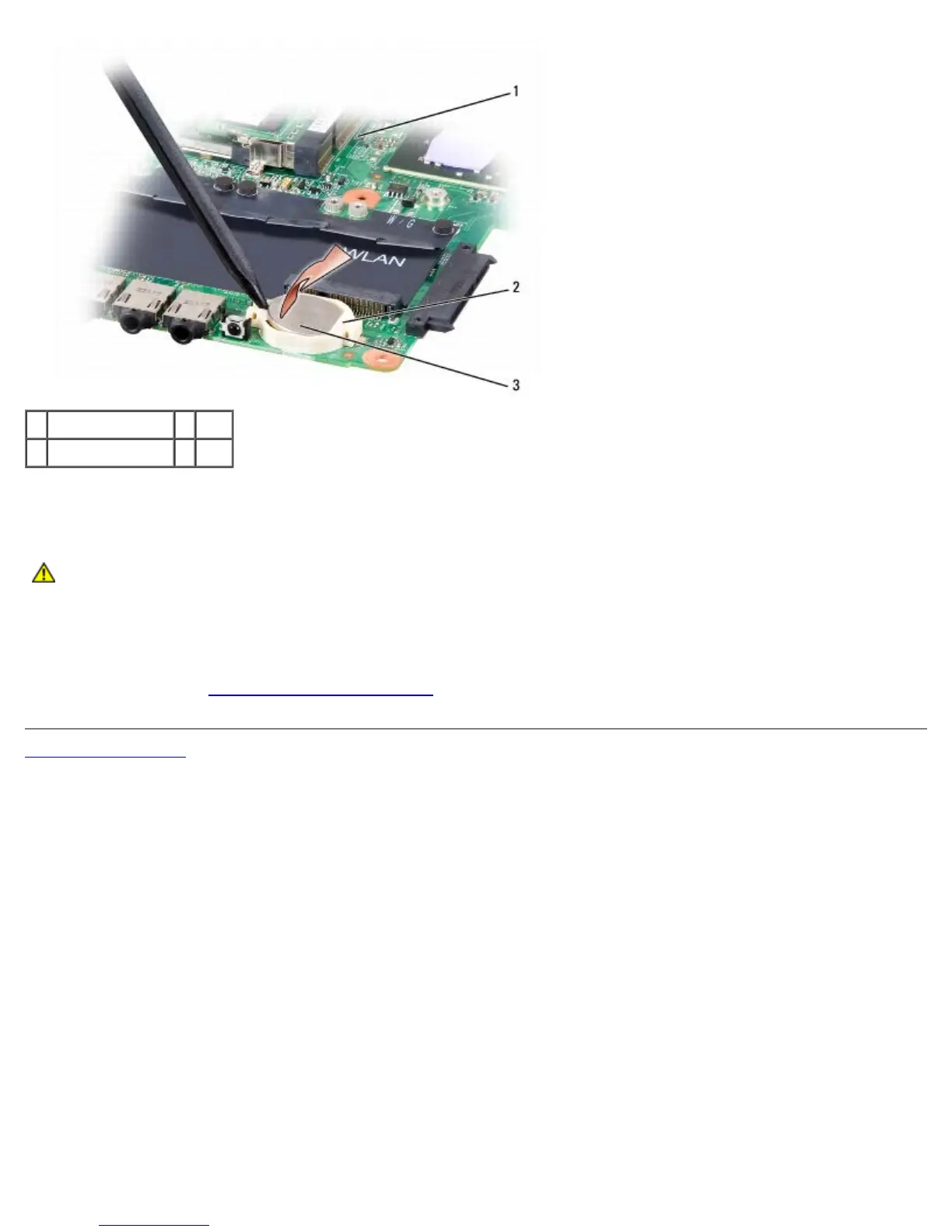
1 system board 2 slot
3 coin-cell battery
Replacing the Coin-Cell Battery
CAUTION: Before you begin the following procedure, follow the safety instructions in the Product
Information Guide.
1. Hold the coin-cell battery with the positive side up.
2. Slide the coin-cell battery into the slot and gently press until it snaps to the slot.
3. Follow the steps in Removing the Coin-Cell Battery in the reverse order.
Back to Contents Page





 To Next Page