Back to Contents Page
Center Control Cover
Dell™ 500 Service Manual
CAUTION: Before you begin any of the procedures in this section, follow the safety instructions in the
Product Information Guide.
NOTICE: To avoid electrostatic discharge, ground yourself by using a wrist grounding strap or by periodically touching
an unpainted metal surface (such as a connector on the back of the computer).
NOTICE: To help prevent damage to the system board, you must remove the battery from the battery bay before you
begin working inside the computer.
Removing the Center Control Cover
1. Follow the procedures in Before You Begin.
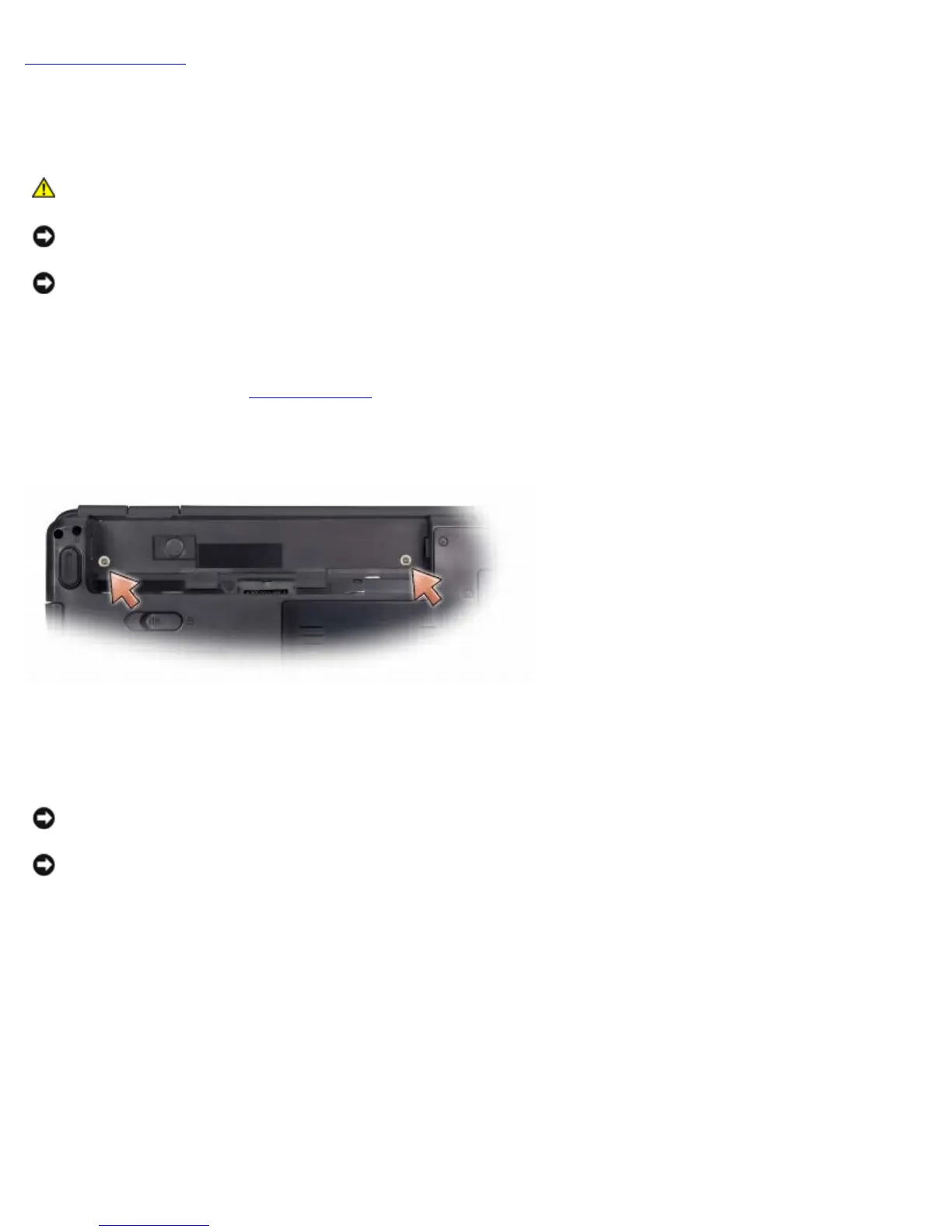
2. Remove the two screws securing the center control cover from the battery bay.
3. Turn the computer top side up, and open the display as far as possible.
4. Insert a plastic scribe into the indent to lift the center control cover on the right side.
NOTICE: To avoid damage to the data cable connected to the system board, ensure that you do not pull hard when
you are lifting the center control cover.
NOTICE: To avoid damage to the center control cover, do not lift the cover on both sides simultaneously.
5. Ease the center control cover up, moving from right to left, and lift it.





 To Next Page