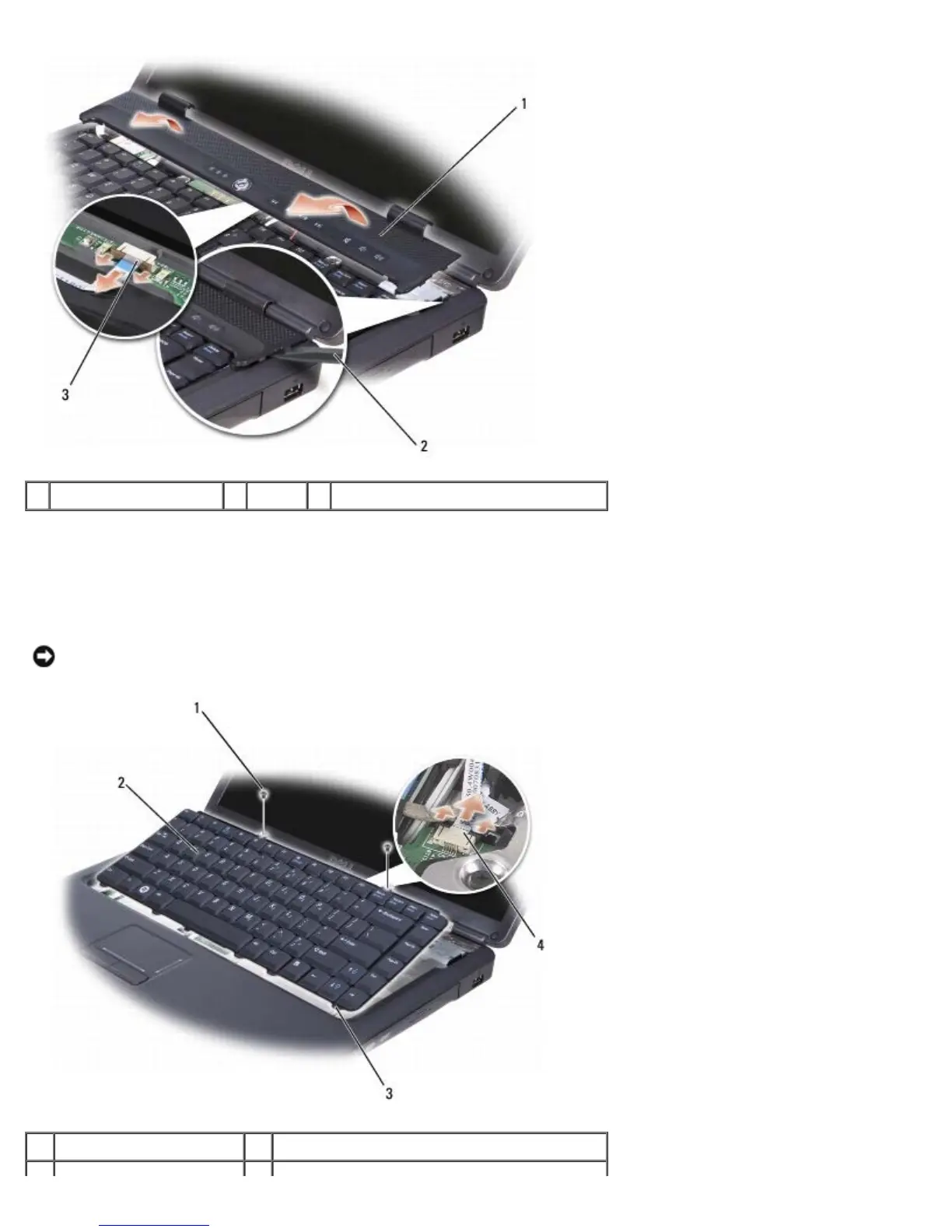
1 center control cover 2 scribe 3 media control buttons connector
6. Disconnect the cable from the media control buttons connector located underneath the center control cover.
7. Remove the center control cover.
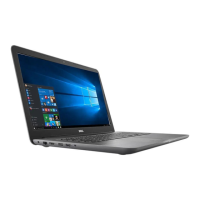
8. Remove the two screws from the top of the keyboard.
NOTICE: The key caps on the keyboard are fragile, easily dislodged, and time-consuming to replace. Be careful when
removing and handling the keyboard.
1 screws (2) 2 keyboard





 To Next Page