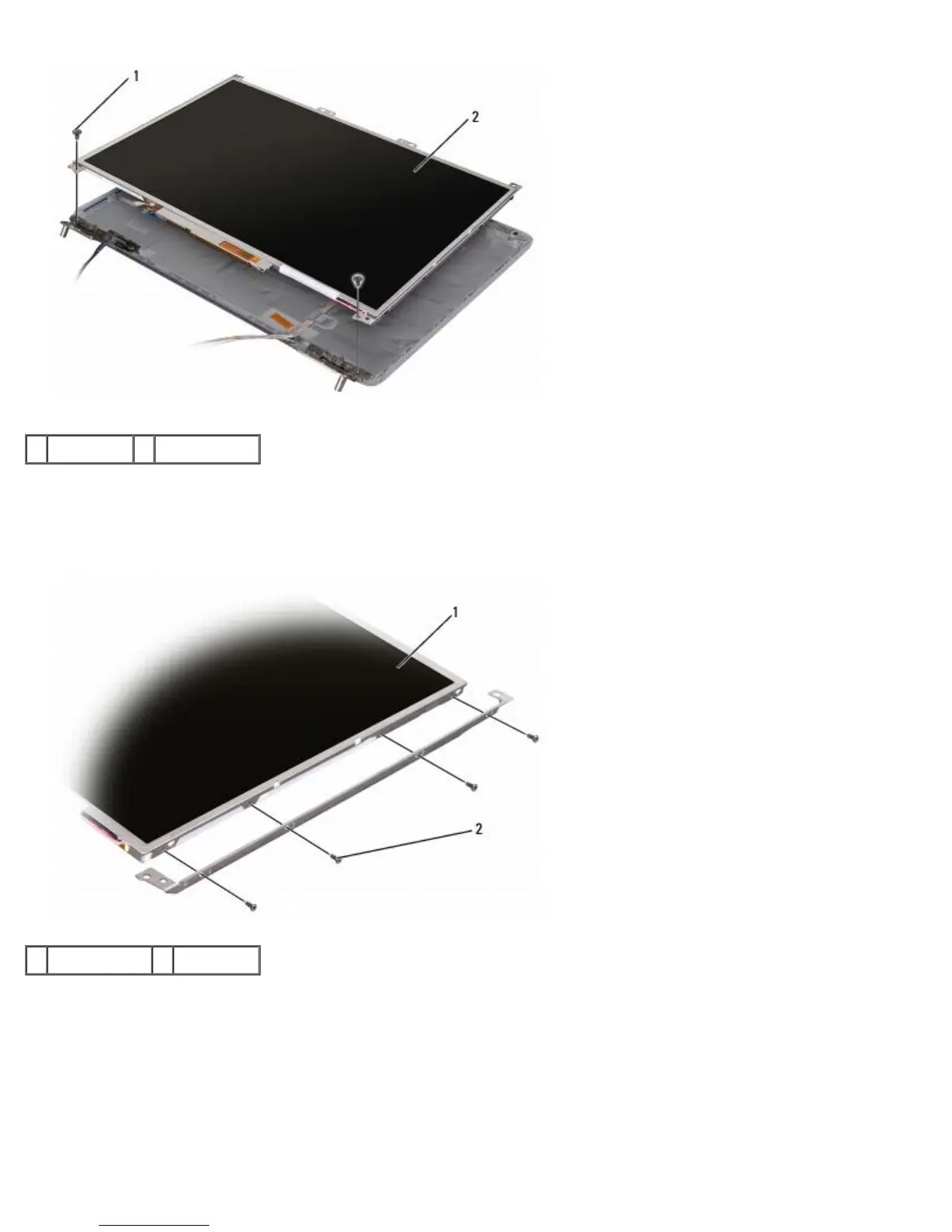
1 screws (2) 2 display panel
7. Lift the display panel out of the display cover.
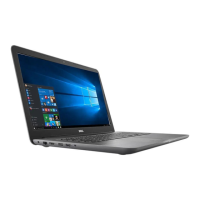
8. Remove the eight screws (four on each side of the display panel) securing the two brackets to the display panel and
remove the brackets.
1 display panel 2 screws (8)
9. Use the pull tab to disconnect the bottom flex-cable connector from the inverter connector.
10. Lift the tape securing the top flex-cable connector and gently pull to disconnect the top flex-cable connector from the
display locking connector.





 To Next Page