EasyManua.ls Logo

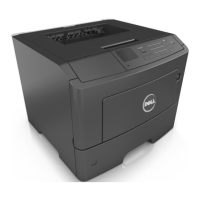
Dell B5460dn Mono Laser Printer - User Manual

Dell B5460dn Mono Laser Printer
233 pages
Print Icon
To Next Page IconTo Next Page
Loading...
Dell B5460dn Laser Printer
User's Guide
May 2012 www.dell.com | support.dell.com
Trademarks
Information in this document is subject to change without notice.
© 2012 Dell, Inc. All rights reserved.
Reproduction of this material in any manner whatsoever without the written permission of Dell Inc. is strictly forbidden.
Trademarks used in this text: Dell, the DELL logo, Inspiron, Dell Precision, Dimension, OptiPlex, Latitude, PowerEdge, PowerVault, PowerApp, and Dell OpenManage are trademarks
of Dell Inc.; Intel, Pentium, and Celeron are registered trademarks of Intel Corporation; Microsoft and Windows are registered trademarks of Microsoft Corporation.
Other trademarks and trade names may be used in this document to refer to the entities claiming the marks and names of their products. Dell Inc. disclaims any proprietary
interest in trademarks and trade names other than its own.

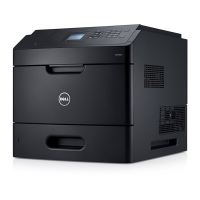
Table of Contents

Other manuals for Dell B5460dn Mono Laser Printer

Questions and Answers

  • J
    Jasmin MooreSep 4, 2025
    What to do if Dell B5460dn Mono Laser prompts to 'Change [paper source] to [custom string]'?
    • P
      Paul FullerSep 4, 2025
      If your Dell printer displays 'Change [paper source] to [custom string] load [orientation]', load the correct size and type of paper in the tray, and then press on the printer control panel. Alternatively, you can cancel the print job.
  • C
    cassandra29Sep 4, 2025
    What to do if Dell B5460dn Mono Laser Printer says 'Close door or insert cartridge'?
    • E
      Elaine JohnsonSep 4, 2025
      If your Dell printer displays 'Close door or insert cartridge', the toner cartridge may be missing or not installed properly. Insert the cartridge, and then close all doors and covers.
  • T
    Tiffany BallSep 5, 2025
    How to fix 'Disk must be formatted' error on Dell B5460dn Mono Laser?
    • D
      davidrodriguezSep 5, 2025
      If your Dell printer displays 'Disk must be formatted for use in this device', select Format disk from the printer control panel to format the printer hard disk and clear the message.
  • D
    Dr. Ryan Byrd DVMSep 5, 2025
    What to do when Dell Printer says 'Empty the hole punch box'?
    • S
      sandovaldavidSep 6, 2025
      If your Dell printer displays 'Empty the hole punch box', empty the hole punch box. Then, reinsert the hole punch box into the finisher, and press on the printer control panel to clear the message.
  • D
    derek98Sep 6, 2025
    Why does my Dell B5460dn Mono Laser Printer say 'Error reading USB drive'?
    • J
      Jennifer WolfeSep 6, 2025
      If your Dell printer displays 'Error reading USB drive. Remove USB', it indicates an unsupported USB device is inserted. Remove the USB device and insert a supported one.
  • P
    phowellSep 7, 2025
    What to do if Dell Printer shows 'Error reading USB hub'?
    • J
      Jason ChenSep 7, 2025
      If your Dell printer displays 'Error reading USB hub. Remove hub', it means an unsupported USB hub has been inserted. Remove the USB hub, and then install a supported one.

Summary

Safety Information

Safety Information

General safety precautions and warnings for printer operation and handling.

Learning about the printer

Selecting a location for the printer

Guidelines for choosing an optimal and safe placement for the printer.

Additional printer setup

Installing internal options

Steps for installing optional hardware like memory cards and hard disks.

Installing hardware options

Instructions for installing various hardware upgrades and accessories.

Setting up the printer software

Procedures for installing printer drivers and software on Windows and Macintosh.

Networking

Connecting the printer to a wireless network

Steps for wireless network setup using WPS or Embedded Web Server.

Loading paper and specialty media

Setting the paper size and type

Configuring the printer for different paper sizes, types, and custom settings.

Loading the 550-sheet tray

Instructions for properly loading paper into the 550-sheet tray.

Loading the 2100-sheet tray

Step-by-step guide for loading paper into the 2100-sheet tray.

Printing

Securing the printer

Maintaining the printer

Replacing supplies

Procedures for replacing consumables like toner cartridges and imaging units.

Clearing jams

Troubleshooting

Paper feed problems

Troubleshooting steps for issues related to paper jams and misfeeds.

Print quality problems

Solutions for common print quality issues like jagged text and clipped images.

Dell B5460dn Mono Laser Printer Specifications

General IconGeneral
Print TechnologyLaser
Print Resolution1200 x 1200 dpi
Standard Memory512 MB
Output Capacity500 sheets
Processor Speed800 MHz
Weight52.9 lbs
Monthly Duty Cycle275, 000 pages
Input Capacity650 sheets
ConnectivityUSB 2.0, Ethernet
First Page Out Time4.4 seconds
Maximum Paper SizeA4, Legal
Operating System CompatibilityWindows, Linux, Mac OS
Duplex PrintingStandard

Related product manuals