Steps
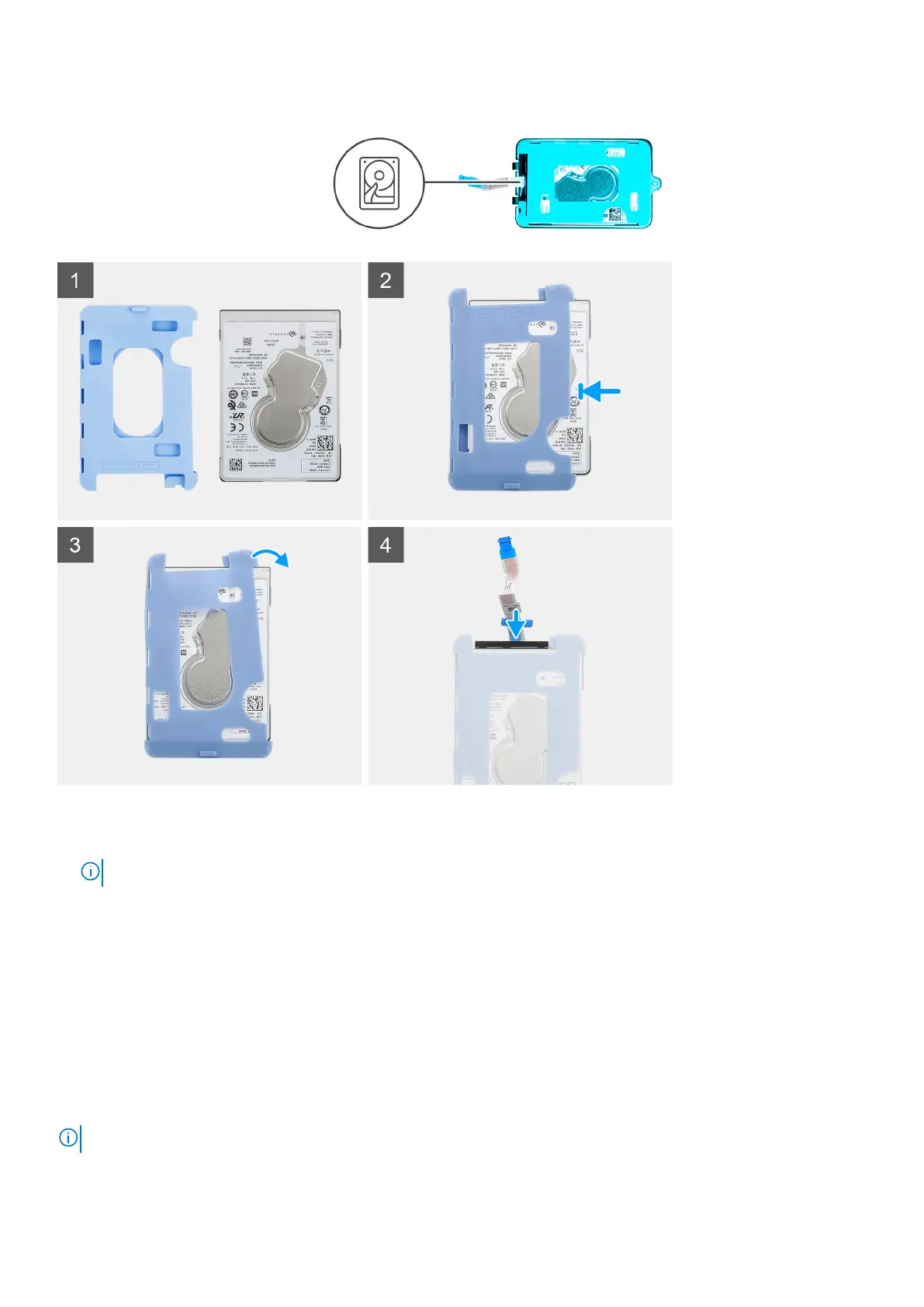
1. Insert the hard drive into the protective sleeve.
NOTE: Ensure to match the mark on the protective sleeve with the hard drive PIN and connector location.
2. Pull the protective sleeves along the hard-drive edges.
3. Connect the hard-drive cable to the connector on the hard drive.
Next steps
1. Install the hard-drive bracket.
2. Install the hard-drive assembly.
3. Follow the procedure in after working on your device.
Solid-state drive in the hard-drive bay
NOTE: For systems with solid-state drive in the hard-drive bay will not support hard drive.
Removing and installing components 19



 To Next Page