10 | About your monitor
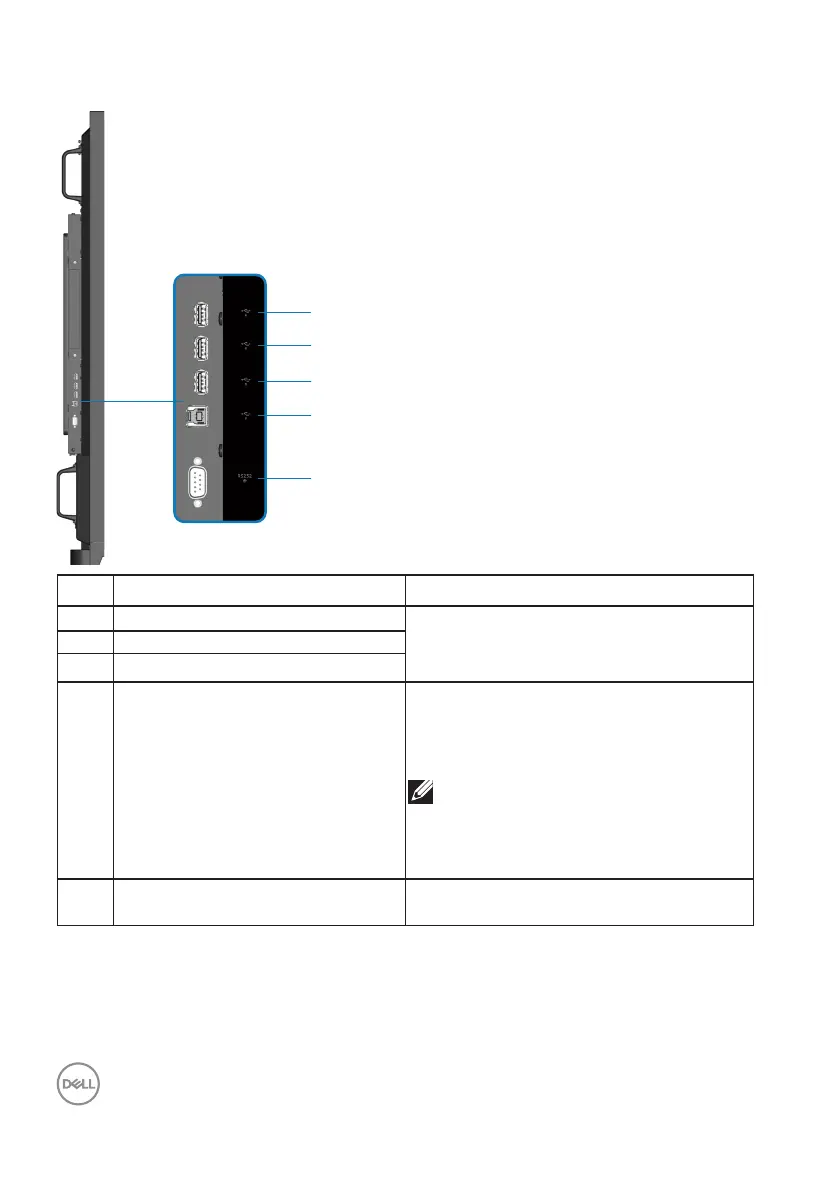
Side view
2
3
4
5
1
Label Description Use
1 USB-A 3.1 Gen 1 downstream port
Connect the USB device.
2 USB-A 3.1 Gen 1 downstream port
3 USB-A 3.1 Gen 1 downstream port
4 USB-B 3.1 Gen 1 upstream port Connect the USB cable that comes with
your display to the computer. Once this
cable is connected, you can use the USB
downstream connectors on the display.
NOTE: If input source select to
Home Launcher which will dis-
able USB 3.1 Gen 1 upstream
port.
5 RS232 Remote management and control of
display through RS232.











 To Next Page