8 | About your monitor
Using the control buttons
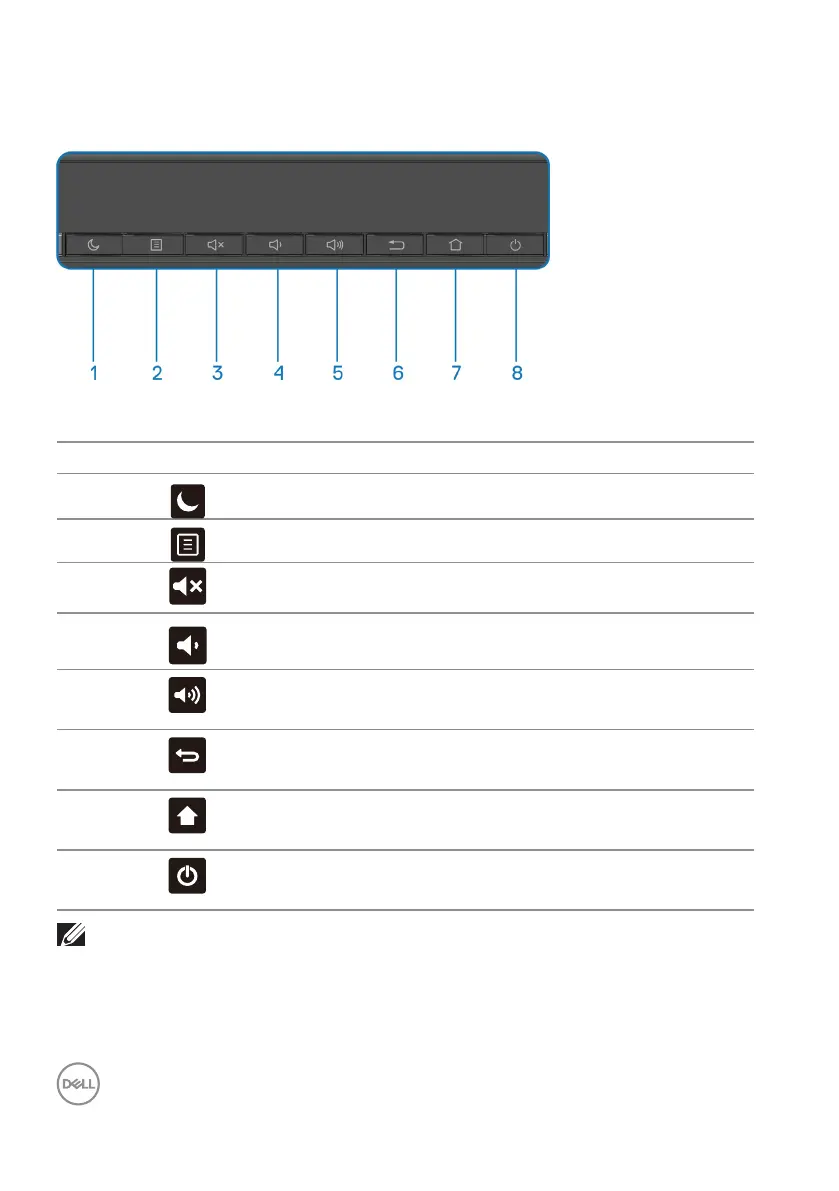
Use the keys on the front of the monitor to adjust the image settings.
The following table describes the control buttons:
Control buttons Description
1
Energy saving mode, turn o the backlight.
2
Open Settings.
3
Audio mute on/o.
4
Decrease audio output value.
5
Increase audio output value.
6
Return to the previous menu page.
7
Home Launcher.
8
Power on the display or enter standby mode.
NOTE: The power key can not be trigger continually within 5 seconds.











 To Next Page