About your monitor | 11
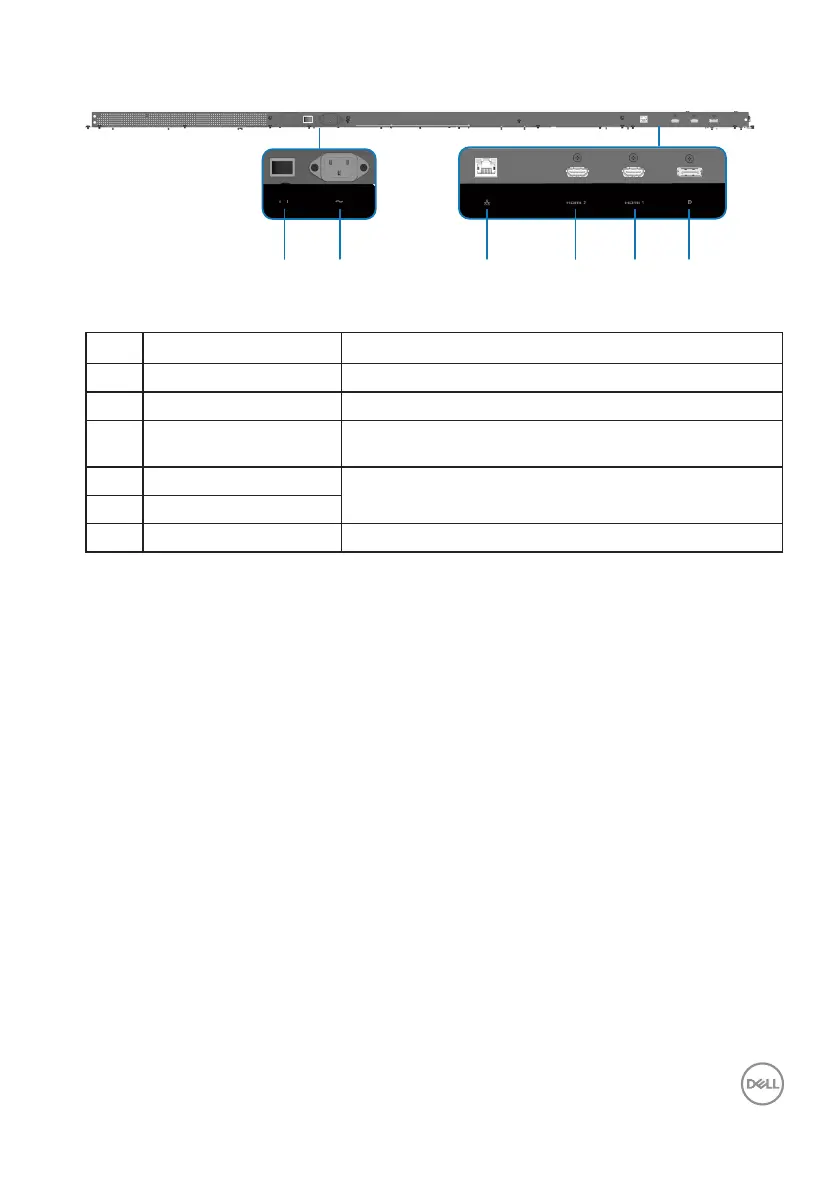
Bottom view
3
4 5 6
21
Label Description Use
1 AC power switch Switch the AC power on/o.
2 AC power connector To connect the display power cable.
3 RJ45 connector RJ45 is only for Montage, Broadcast, Auto time
sync and OTA usage.
4 HDMI 2 2.0 connector
Connect your computer with HDMI cable.
5 HDMI 1 2.0 connector
6 DP 1.2 connector
Connect your computer with DP cable.











 To Next Page