Setting up the monitor | 25
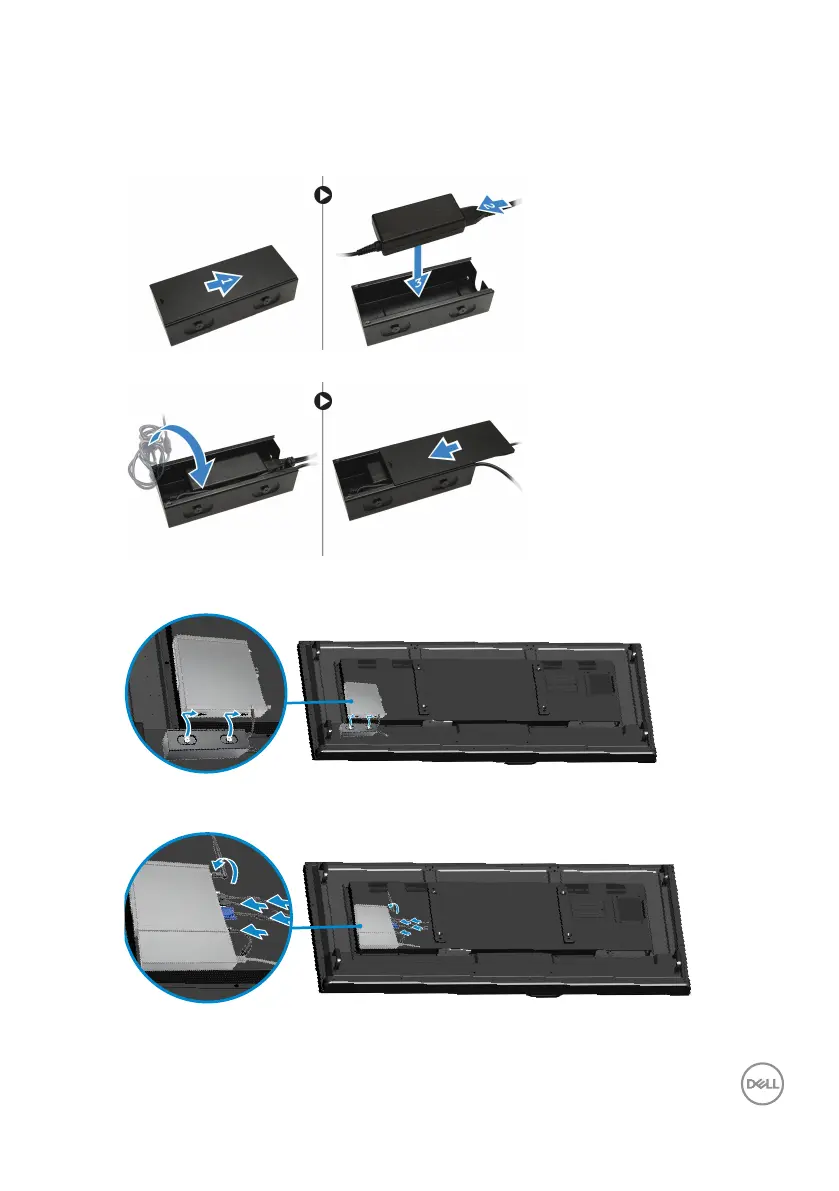
3. Perform the following steps as shown in the illustration:
a. Slide to open the cover of the power adapter [1].
b. Install the power cable to the power adapter and place the power adapter in
the box [ 2,3].
4. Insert the cable into the box and slide back the cover to lock it.
5. Slide the power adapter case through the grooves at the bottom of the dual
VESA mount to lock it.
6. Connect all the cables and antenna to the computer.











 To Next Page