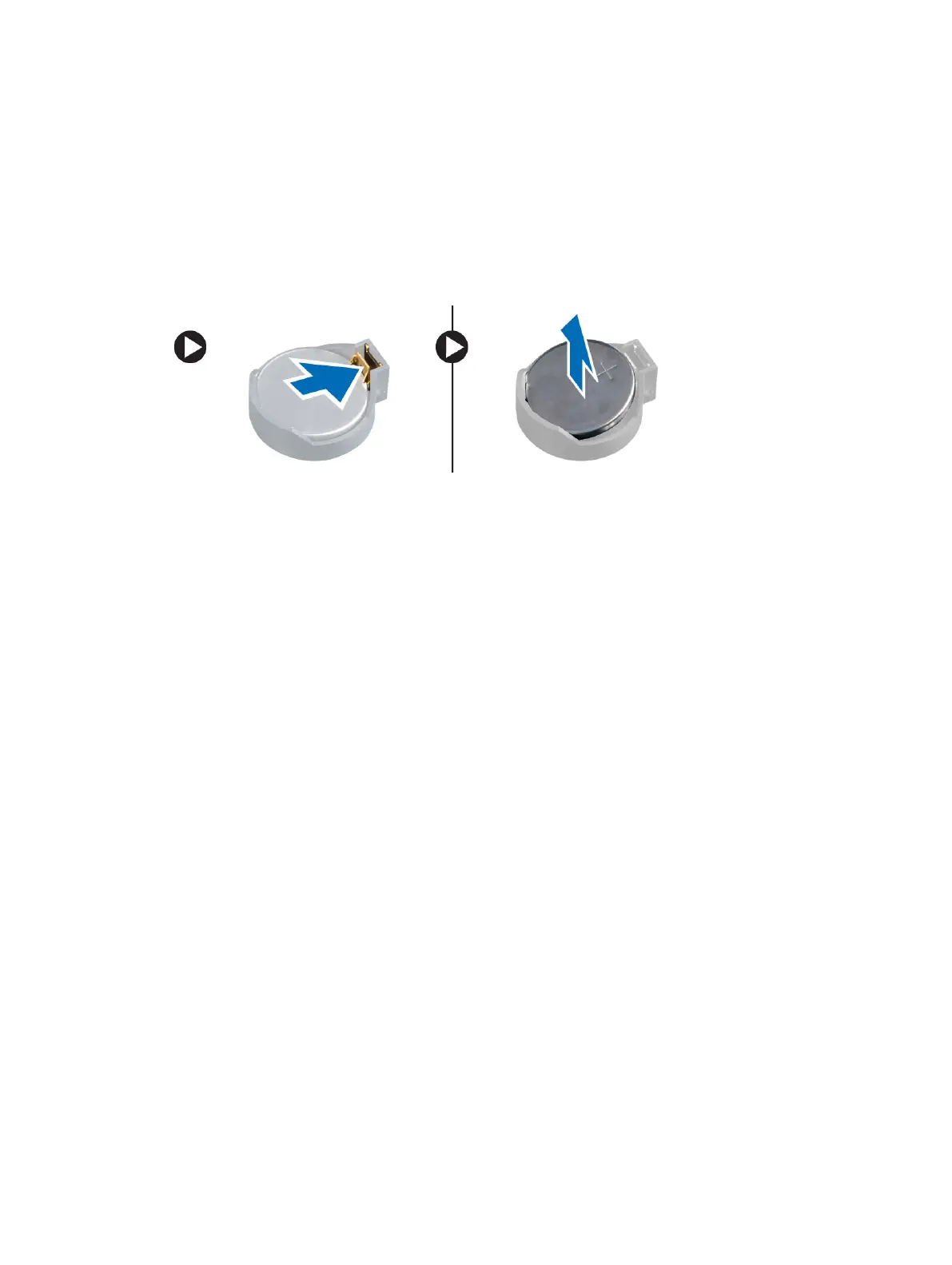
Removing the Coin-Cell Battery
1. Follow the procedures in
Before Working Inside Your Computer
.
2. Remove:
a) cover
b) expansion card(s)
3. Press the release latch away from the battery to allow the battery to pop-up from the socket and lift
the coin-cell battery out of the computer.
Installing the Coin-Cell Battery
1. Place the coin cell battery in its slot on the system board and press until the release latch springs
back into place and secures it.
2. Install:
a) expansion card
b) cover
3. Follow the procedures in
After Working Inside Your Computer
.
Removing the Hard Drive
1. Follow the procedures in
Before Working Inside Your Computer
.
2. Remove:
a) cover
b) front bezel
3. Perform the following steps as shown in the illustration:
a) Disconnect the data cable and the power cable from the back of the hard drive.
b) Press the blue securing-bracket tabs inwards [1[.
c) Lift the hard-drive bracket out of the hard-drive bay [2].
16












 To Next Page