Back to Contents Page
Dell™OptiPlex™GX620
User's Guide
PCI and PCI Express Cards and Serial Port Adapters
PCI and PCI Express Cards and Serial Port Adapters
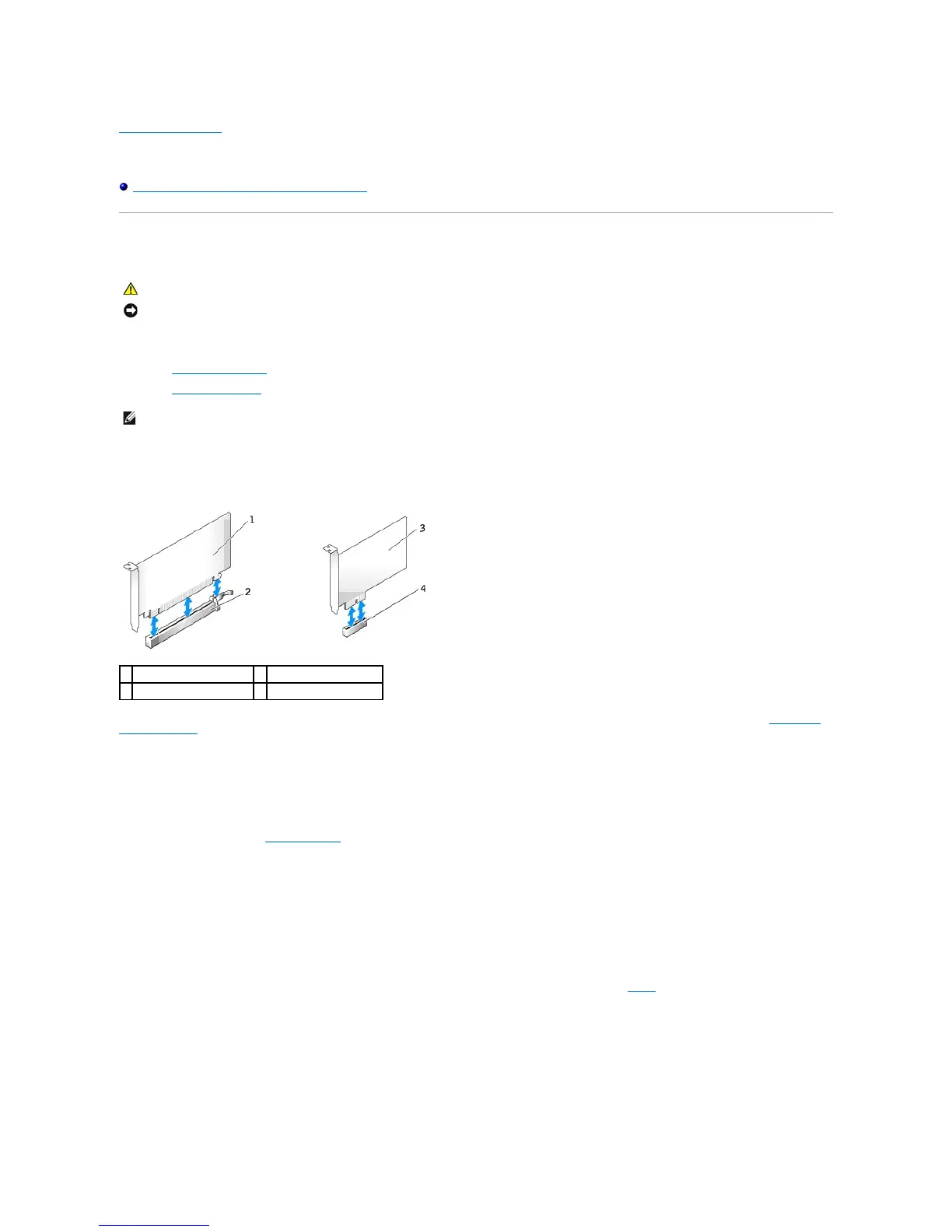
YourDell™computersupportsaserialadapterandprovidesthefollowingconnectorsforPCIExpresscards.
l One PCI Express x16 card slot
l One PCI Express x1 card slot
PCI Express Cards
Your computer supports one PCI Express x16 card and one PCI Express x1 card.
If you are installing or replacing a PCI Express card, follow the procedures in the next section. If you are removing but not replacing a card, see "Removing a
PCI Express Card."
If you are replacing a card, uninstall the driver for the existing card. See the documentation that came with the card for instructions.
Installing a PCI Express Card
1. Follow the procedures in "Before You Begin."
2. Gently push the release tab on the card retention latch from the inside to pivot the latch open. The latch will remain in the open position.
3. Remove the card retention mechanism:
a. Place your thumb on the top of the card retention mechanism and grip the bottom of the retention mechanism with your fingers.
b. With your free hand, gently squeeze the sides of the card retention mechanism to release it from the tab slots holding it in place.
c. Pivot the card retention mechanism upward to release it from the two tab slots.
4. If you are installing a new card, remove the filler bracket to create a card-slot opening. Then continue with step6.
5. If you are replacing a card that is already installed in the computer, remove the card.
If necessary, disconnect any cables connected to the card. If your card includes a card retention bar, remove the bar. Gently pull the securing tab, grasp
the card by its top corners, and ease it out of its connector.
6. Prepare the new card for installation.
See the documentation that came with the card for information on configuring the card, making internal connections, or otherwise customizing it for your















 To Next Page