computer.
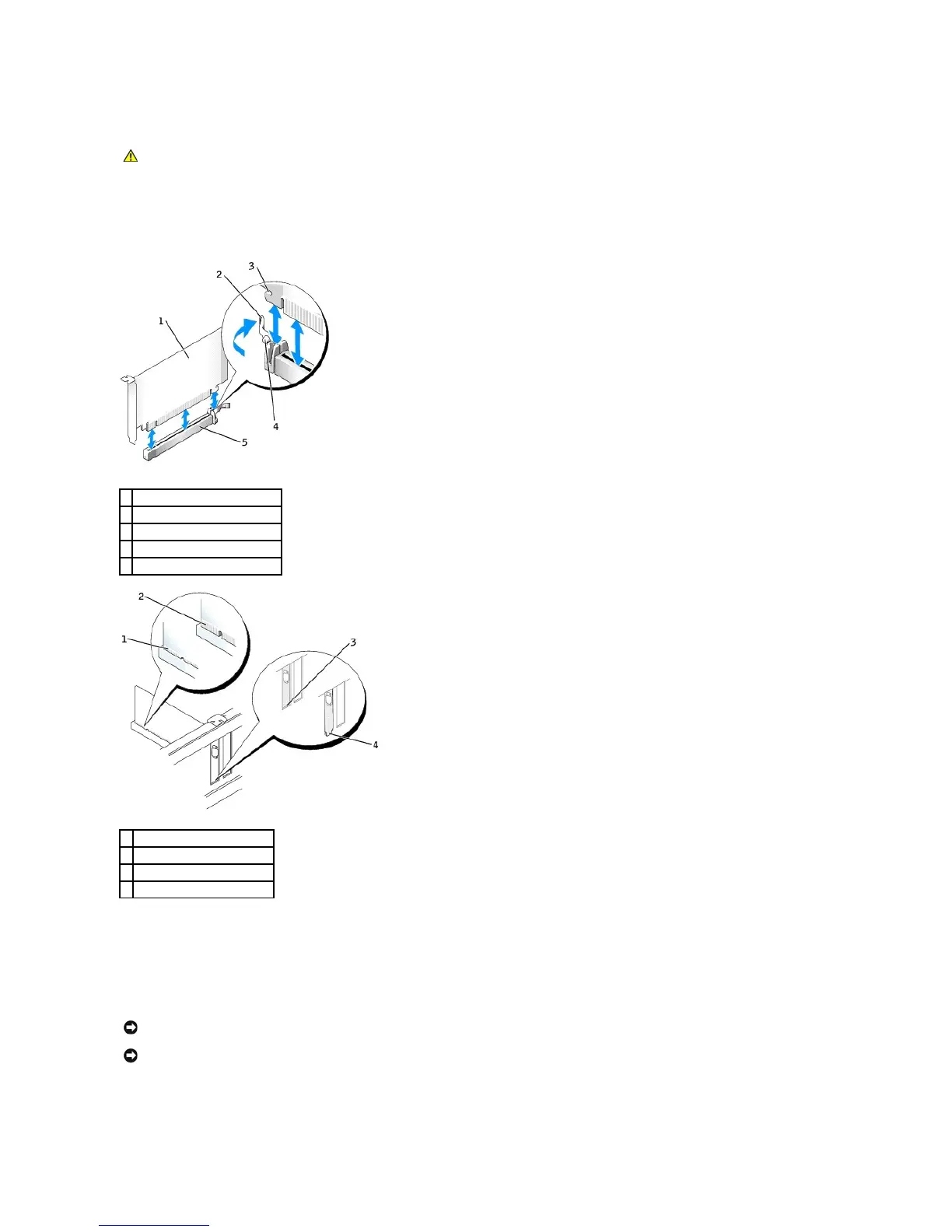
7. If you are installing the card into the x16 card connector, position the card so the securing slot is aligned with the securing tab, and gently pull the
securing tab.
8. Place the card in the connector and press down firmly. Ensure that the card is fully seated in the slot.
9. If applicable, before replacing the card retention mechanism, ensure that:
l The tops of all cards and filler brackets are flush with the alignment bar.
l The notch in the top of the card or filler bracket fits around the alignment guide.
10. Snap the card retention mechanism into place, securing the card(s) in the computer.
11. Connect any cables that should be attached to the card.
CAUTION: Some network adapters automatically start the computer when they are connected to a network. To guard against electrical shock, be
sure to unplug your computer from its electrical outlet before installing any cards.
NOTICE: Do not route card cables over or behind the cards. Cables routed over the cards can prevent the computer cover from closing properly or
cause damage to the equipment.















 To Next Page