4. Processor fan and heat-sink assembly
5. M.2 WLAN
6. Memory module
7. M.2 Solid-state drive
8. Power-button cable
9. System board
10. Front I/O bracket
11. Front bezel
12. Chassis
13. Chassis fan
14. Speaker
15. Intrusion switch
16. Power Supply Unit
17. 2.5-inch hard-disk drive assembly
NOTE: Dell provides a list of components and their part numbers for the original system configuration purchased. These
parts are available according to warranty coverages purchased by the customer. Contact your Dell sales representative for
purchase options.
Side cover
Removing the side cover
Prerequisites
1. Follow the procedure in before working inside your computer.
NOTE: Ensure that you remove the security cable from the security-cable slot (if applicable).
About this task
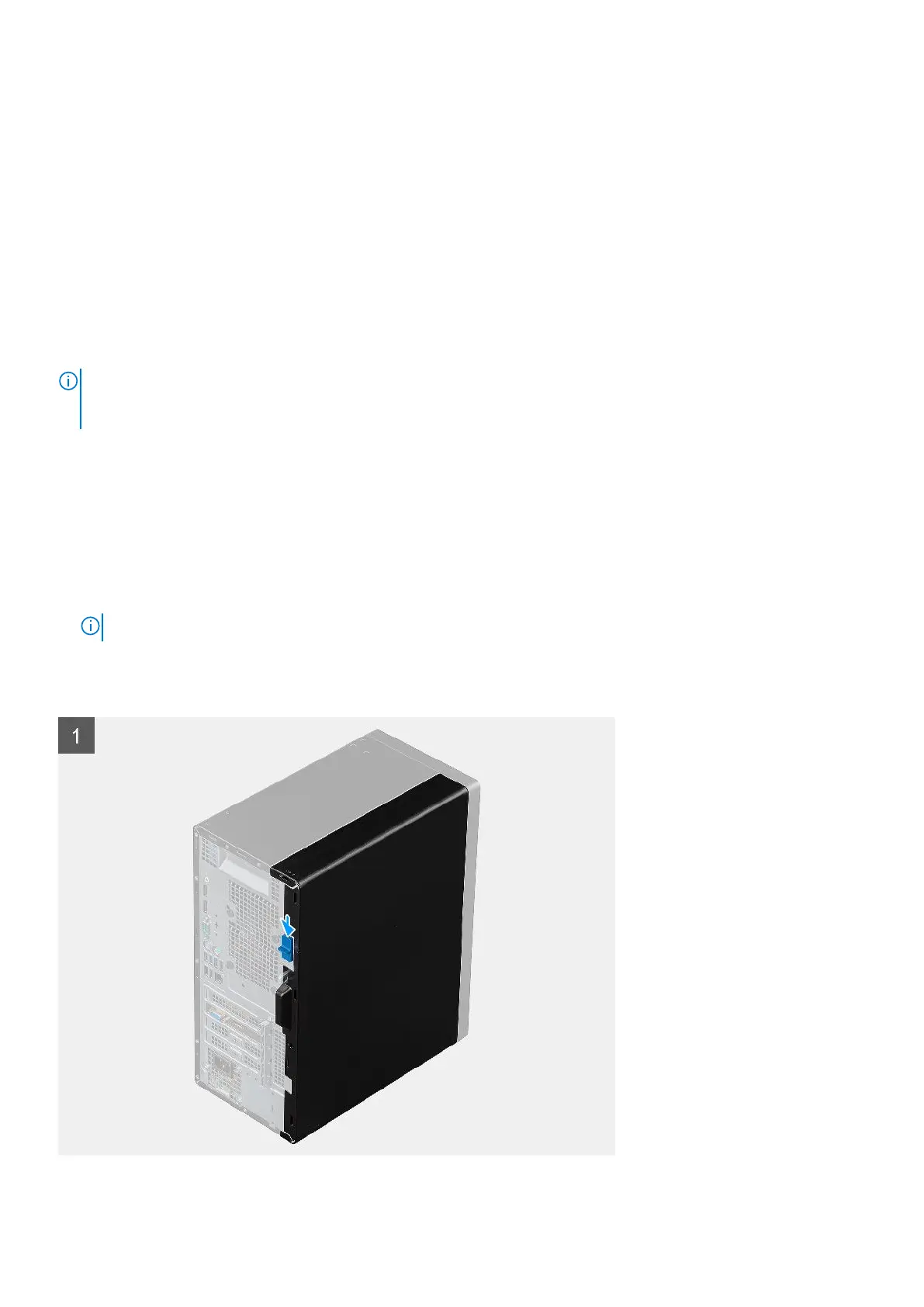
The following images indicate the location of the side cover and provide a visual representation of the removal procedure.
12
Removing and installing components













 To Next Page