Installing the coin-cell battery
Prerequisites
If you are replacing a component, remove the existing component before performing the installation procedure.
About this task
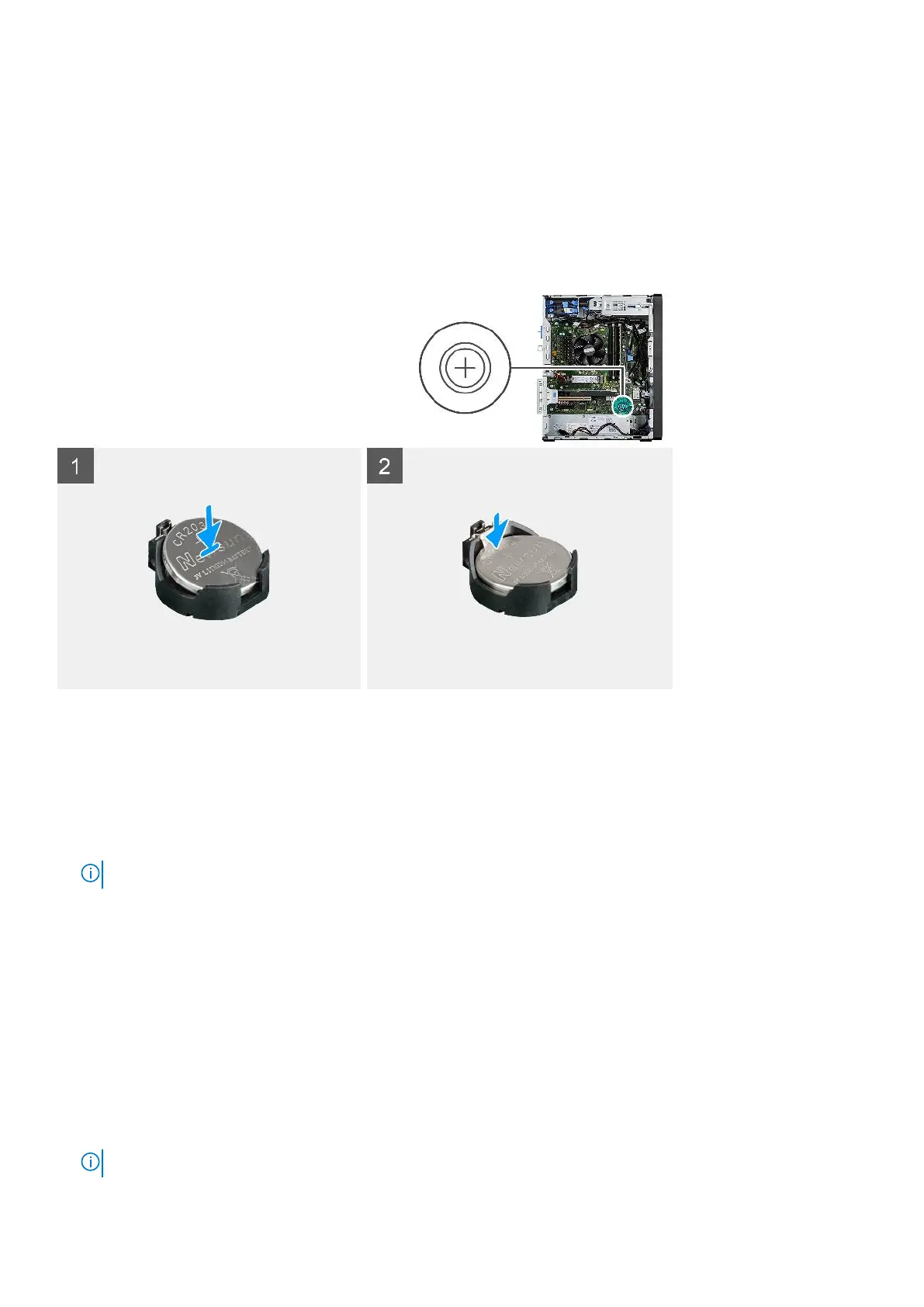
The following image indicates the location of the coin-cell battery and provides a visual representation of the installation
procedure.
Steps
1. Insert the coin cell battery with the "+" sign facing up and slide it under the securing tabs at the positive side of the
connector.
2. Press the battery into the connector until it locks into place.
Next steps
1. Install the powered GPU.
NOTE: This step is required only if the system is configured with powered GPU.
2. Install the side cover.
3. Follow the procedure in after working inside your computer.
WLAN card
Removing the WLAN card
Prerequisites
1. Follow the procedure in before working inside your computer.
2. Remove the side cover.
3. Remove the powered GPU.
NOTE: This step is required only if the system is configured with powered GPU.
Removing and installing components 47













 To Next Page