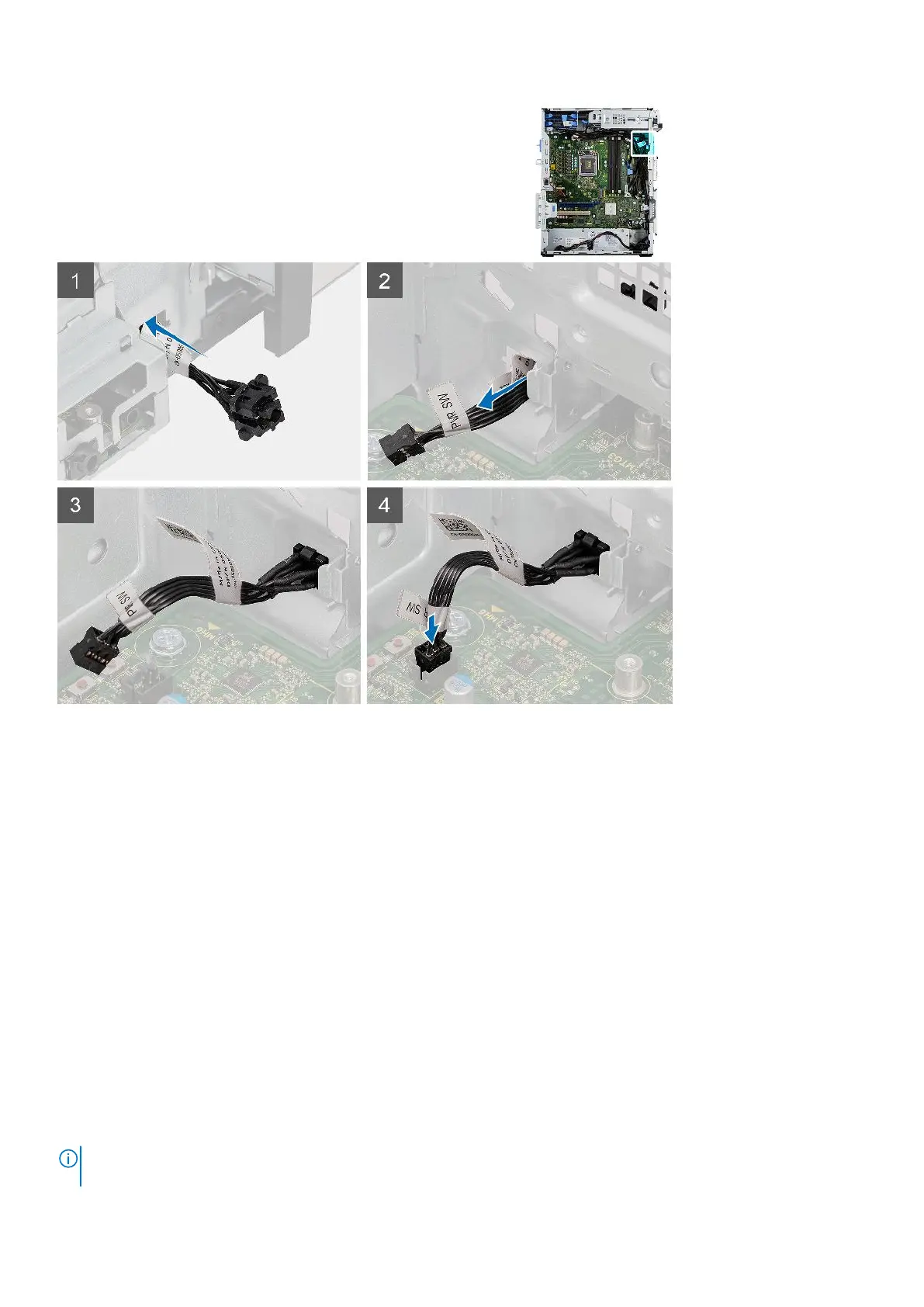
Steps
1. Insert the power-button cable into the slot from the front-side of the computer, and press the power-button head until it
clicks into the place in the chassis.
2. Align and connect the power-button cable to the connector on the system board.
Next steps
1. Install the front bezel.
2. Install the side cover.
3. Follow the procedure in after working inside your computer.
Power-supply unit
Removing the power-supply unit
Prerequisites
1. Follow the procedure in before working inside your computer.
2. Remove the side cover.
3. Remove the processor fan and heat-sink assembly.
NOTE:
Note the routing of all cables as you remove them so that you can route them correctly while you are replacing the
power-supply unit.
Removing and installing components 61













 To Next Page