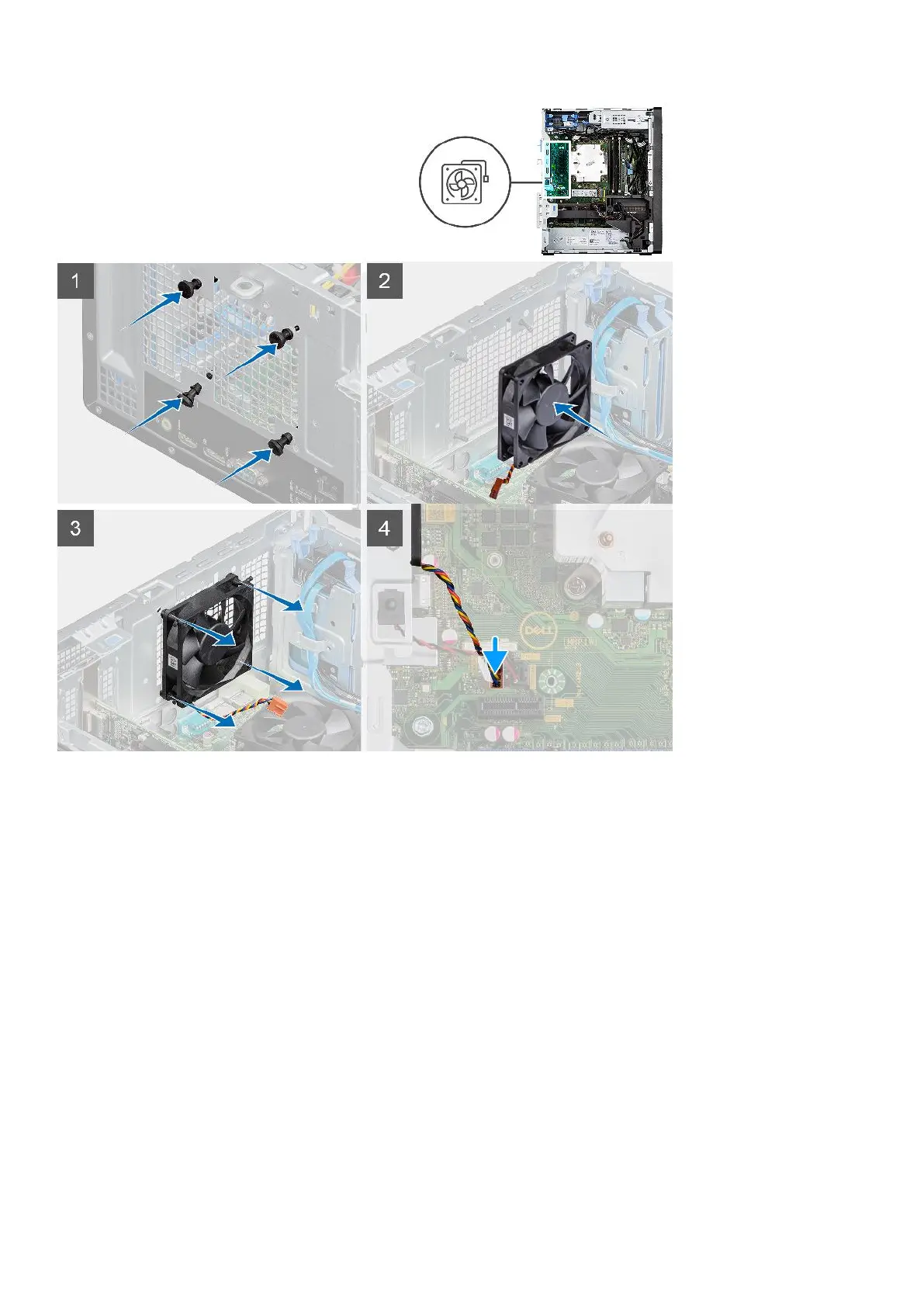
Steps
1. Insert the rubber grommets on the chassis.
2. Align the slots on the fan with the rubber grommets on the chassis.
3. Route the rubber grommets through the slots on the fan and pull the rubber grommets until the fan snaps into position.
4. Connect the fan cable to the connector on the system board.
Next steps
1. Install the side cover.
2. Follow the procedure in after working inside your computer.
Voltage regulator heat sink
Removing the VR heat sink
Prerequisites
1. Follow the procedure in before working inside your computer.
Removing and installing components
55













 To Next Page