About this task
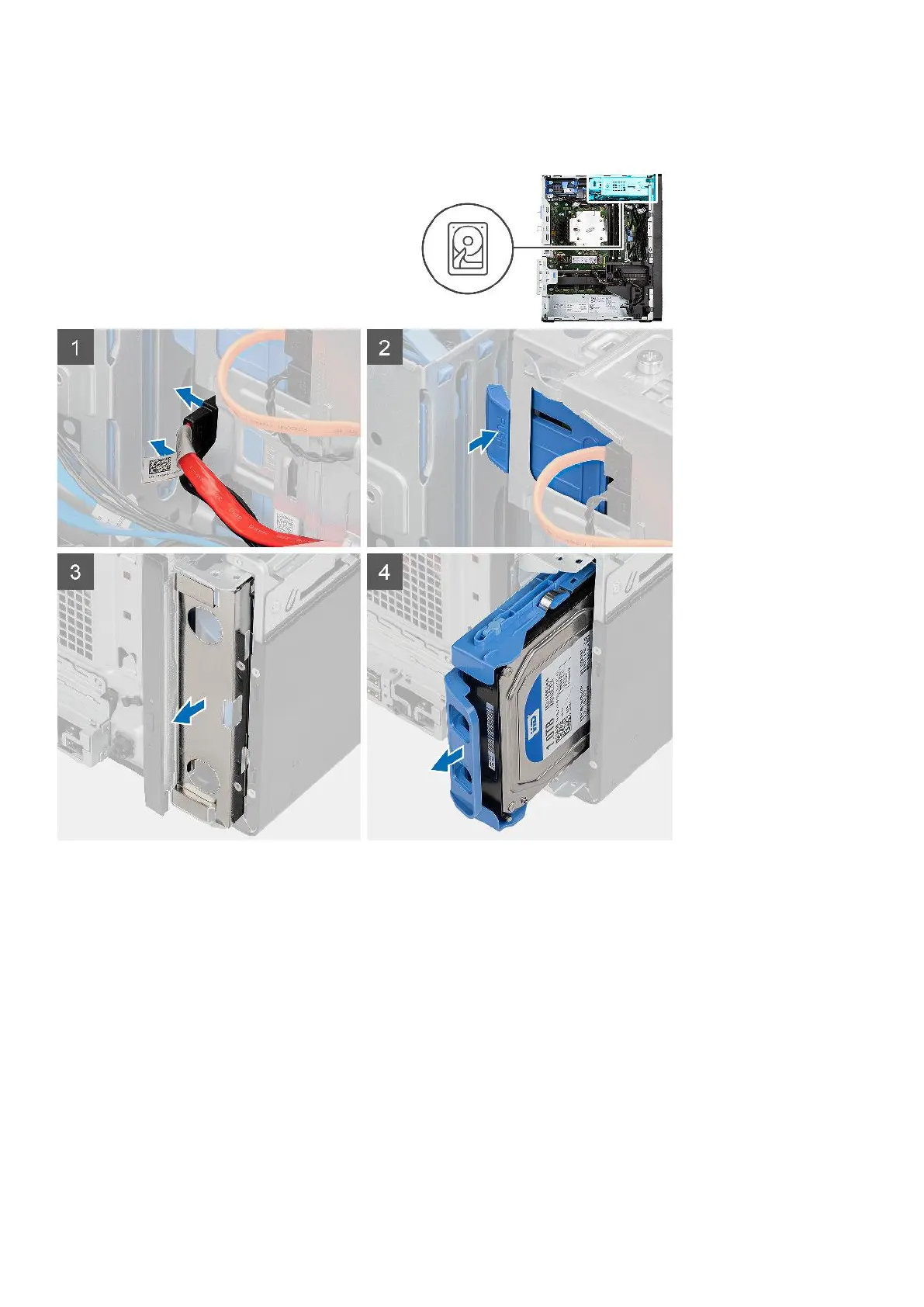
The following images indicate the location of the 3.5-inch hard-disk drive assembly and provide a visual representation of the
removal procedure.
Steps
1. Disconnect the data and power cables from the 3.5-inch hard-disk drive module.
2. Push the securing tab to release the hard-disk drive assembly from the chassis.
3. Remove the EMI shied from the front side of the chassis.
4. Slide the hard-disk drive assembly away from the chassis.
Removing the 3.5-inch hard-disk drive bracket
Prerequisites
1. Follow the procedure in before working inside your computer.
2. Remove the side cover.
3. Remove the 3.5-inch hard-disk drive assembly.
Removing and installing components
23













 To Next Page