Steps
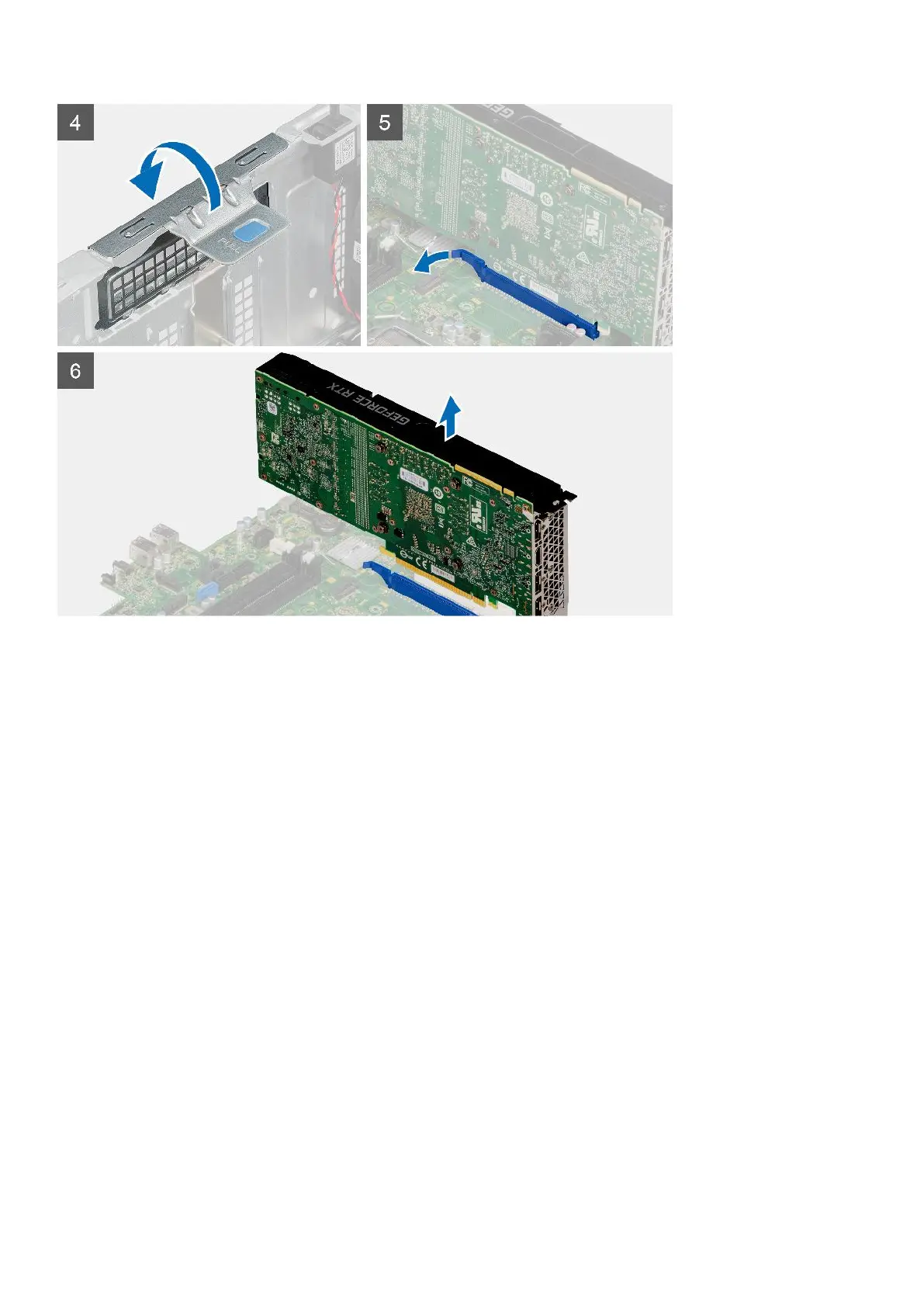
1. Disconnect the two power cables from the connectors on the powered GPU through the cable holder.
2. Unroute the power cable from the retention tab on the cable holder.
3. Press the securing clips on both side of the power-cable holder and slide the powered GPU cable holder out of the
computer.
4. Lift the pull tab to open the PCIe door.
Installing the powered GPU
Prerequisites
If you are replacing a component, remove the existing component before performing the installation procedure.
About this task
The following images indicate the location of the powered graphical processing unit and provide a visual representation of the
installation procedure.
44
Removing and installing components













 To Next Page