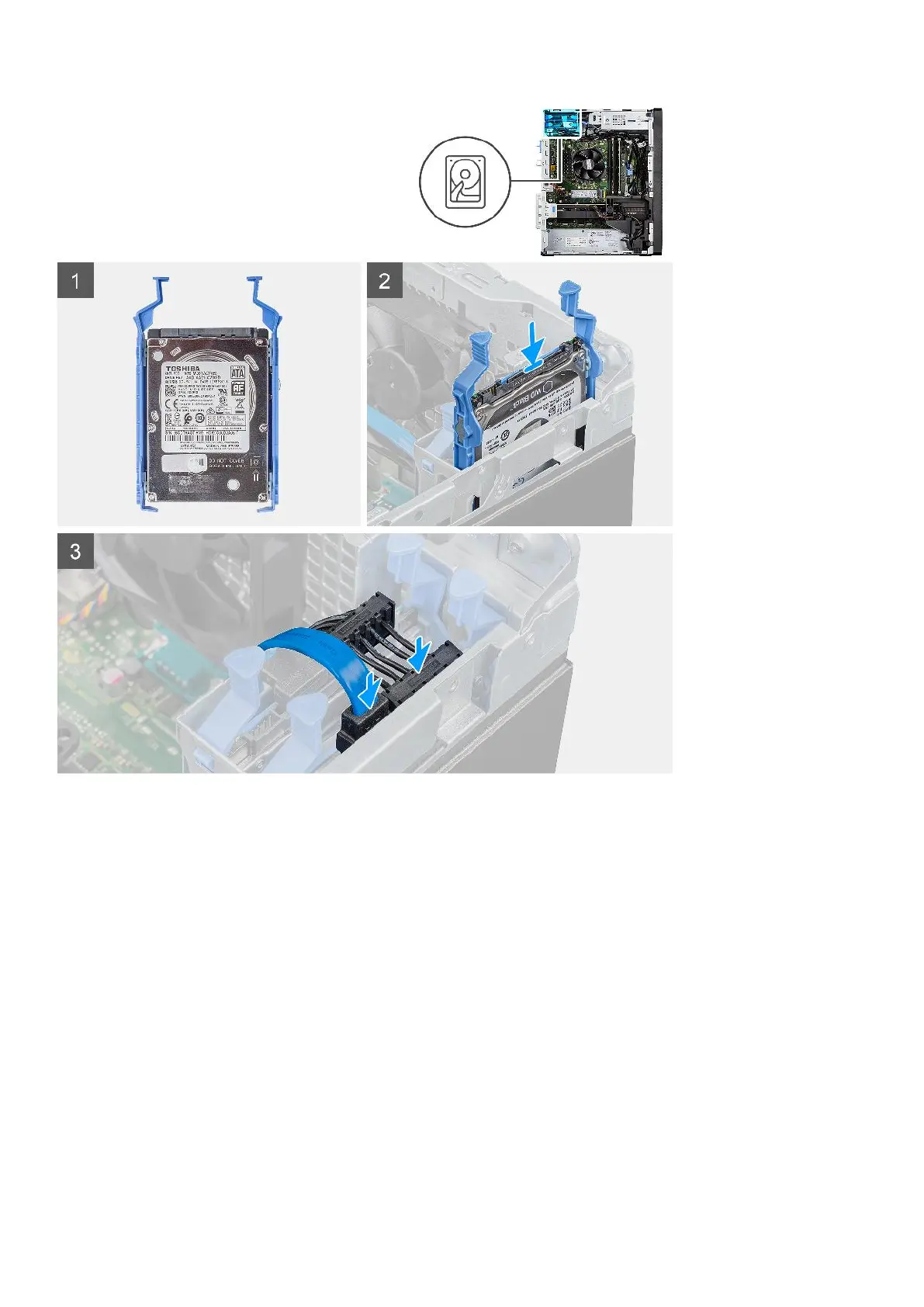
Steps
1. Insert the hard-drive assembly into the slot on the computer until it clicks into place.
2. Connect the hard-drive data and power cables to the connectors on the 2.5-inch hard-drive module.
Next steps
1. Install the side cover.
2. Follow the procedure in after working inside your computer.
3.5 in. hard-drive assembly
Removing the 3.5-inch hard-disk drive assembly
Prerequisites
1. Follow the procedure in before working inside your computer.
2. Remove the side cover.
22
Removing and installing components













 To Next Page