Steps
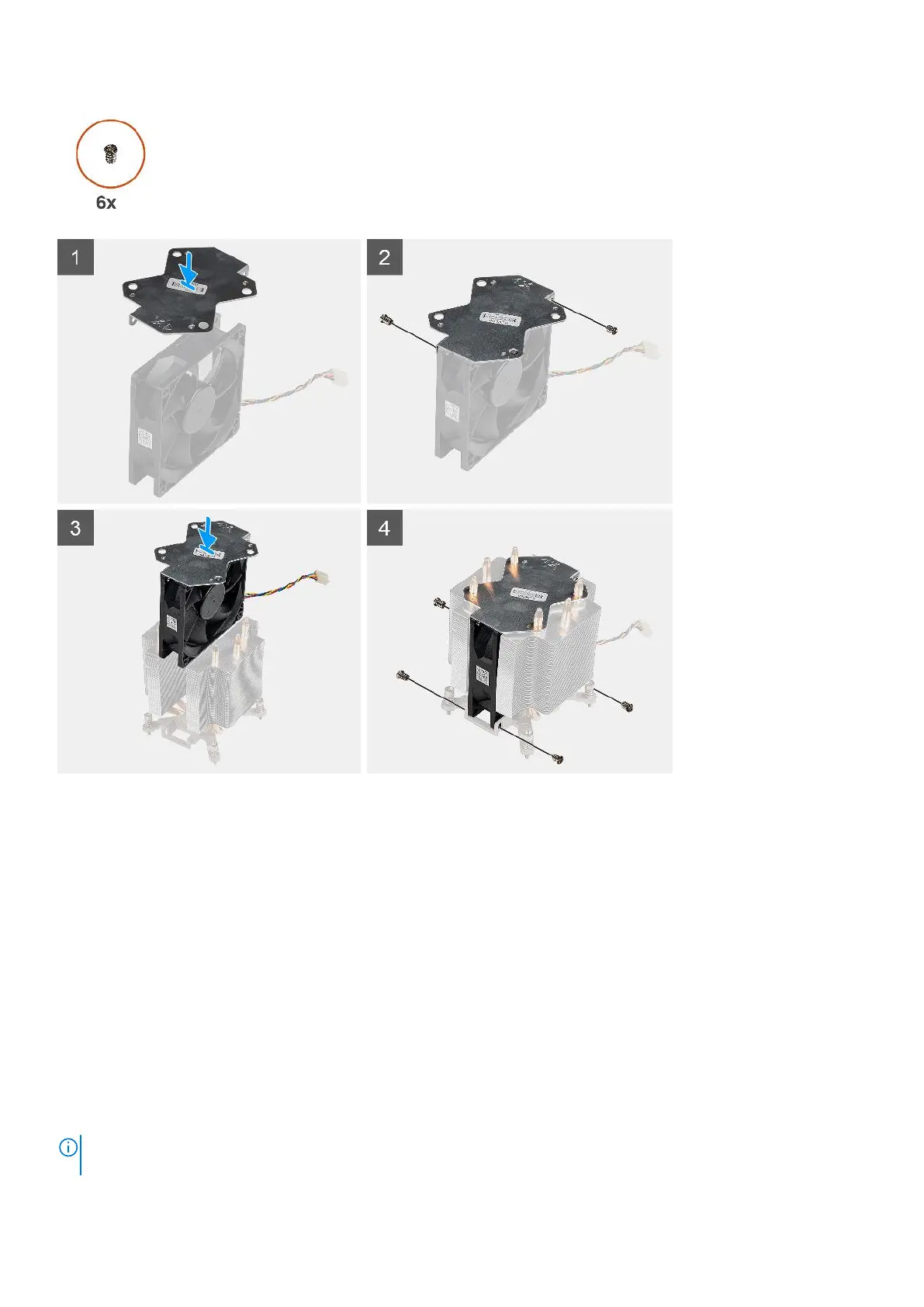
1. Align and place the heat-sink metal plate above the processor fan and replace the two screws to secure the metal plate to
the processor fan.
2. Insert the processor fan into its slot in the heat-sink.
3. Replace the six screws to secure the processor fan to the heat-sink assembly.
Next steps
1. Install the processor fan and heat-sink assembly.
2. Install the side cover.
3. Follow the procedure in after working inside your computer.
Installing the processor fan and 125 W heat-sink assembly
Prerequisites
If you are replacing a component, remove the existing component before performing the installation procedure.
NOTE:
If either the processor or the heat sink is replaced, use the thermal grease that is provided in the kit to ensure that
thermal conductivity is achieved.
Removing and installing components 35














 To Next Page