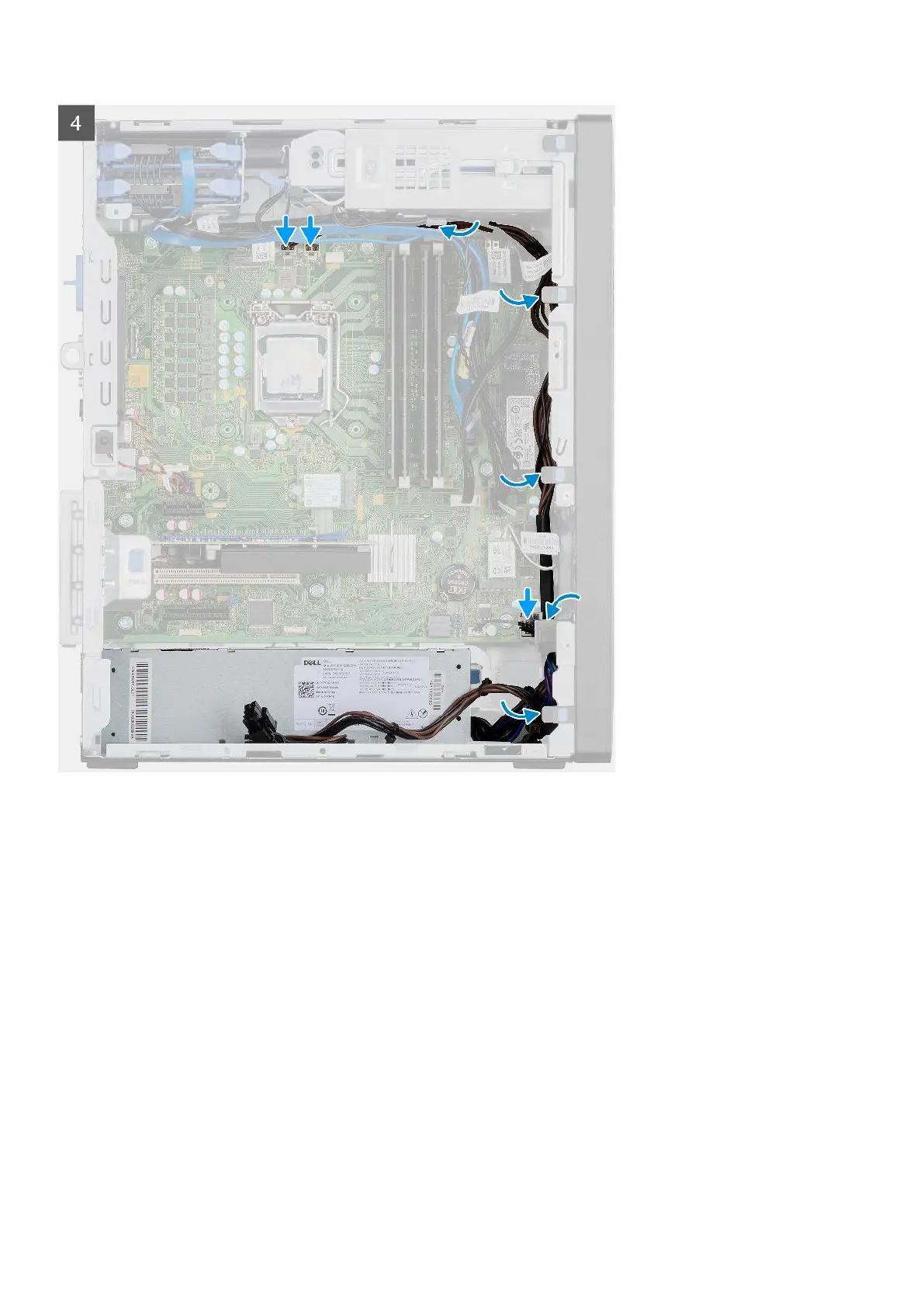
Steps
1. Slide the power-supply unit into the chassis until the securing tab snaps into position.
2. Replace the three (#6-32) screws to secure the power-supply unit to the chassis.
3. Route the power cable through the routing guides on the chassis and connect the power cables to their respective
connectors on the system board.
Next steps
1. Install the processor fan and heat-sink assembly.
2. Install the side cover.
3. Follow the procedure in after working inside your computer.
Removing the power-supply unit (For systems with powered GPU)
Prerequisites
1. Follow the procedure in before working inside your computer.
2. Remove the side cover.
3. Remove the processor fan and 125 W heat-sink assembly or processor fan and heat-sink assembly.
Removing and installing components
65













 To Next Page