Installing Upgrades 83
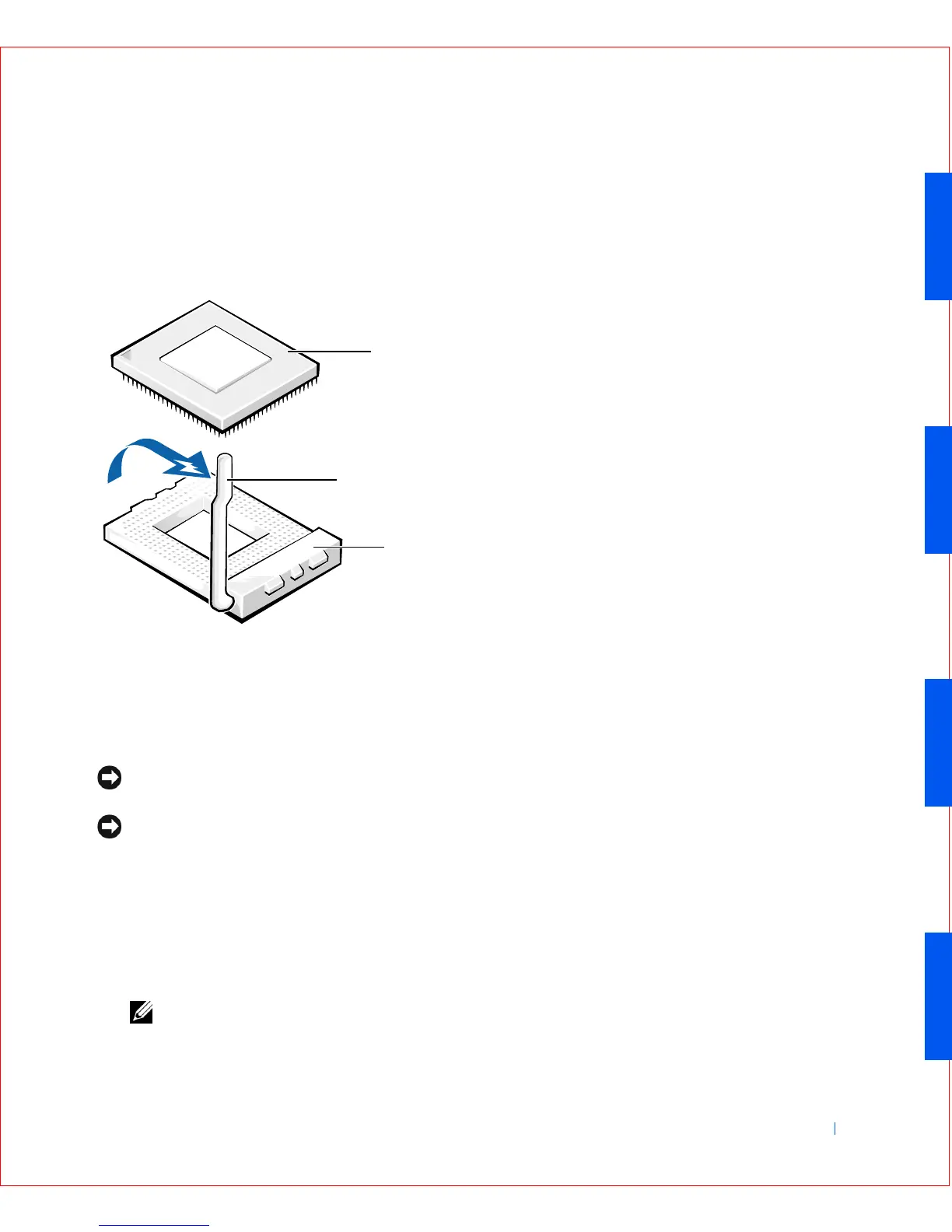
Leave the release lever extended so that the socket is ready for the new
microprocessor.
Microprocessor Removal
NOTICE: Ground yourself by touching an unpainted metal surface on the
back of the computer.
NOTICE: Be careful not to bend any of the pins when you unpack the
microprocessor. Bending the pins can permanently damage the microprocessor.
6
Unpack the new microprocessor.
If any of the pins on the chip appear to be bent, see "Getting Help" for
instructions on obtaining technical assistance.
7 Align the pin-1 corner of the microprocessor chip with the pin-1 corner
of the microprocessor socket.
NOTE: You must identify the pin-1 corner to correctly position the chip.
1 Microprocessor chip
2 Release lever
3 Microprocessor socket
1
2
3









 To Next Page