22 Wireless Mini-Card(s)
4
Remove the optical drive (see "Removing the Optical Drive" on page 33).
5
Remove the palm-rest assembly (see "Removing the Palm-Rest Assembly"
on page 37).
6
Remove the keyboard (see "Removing the Keyboard" on page 43).
7
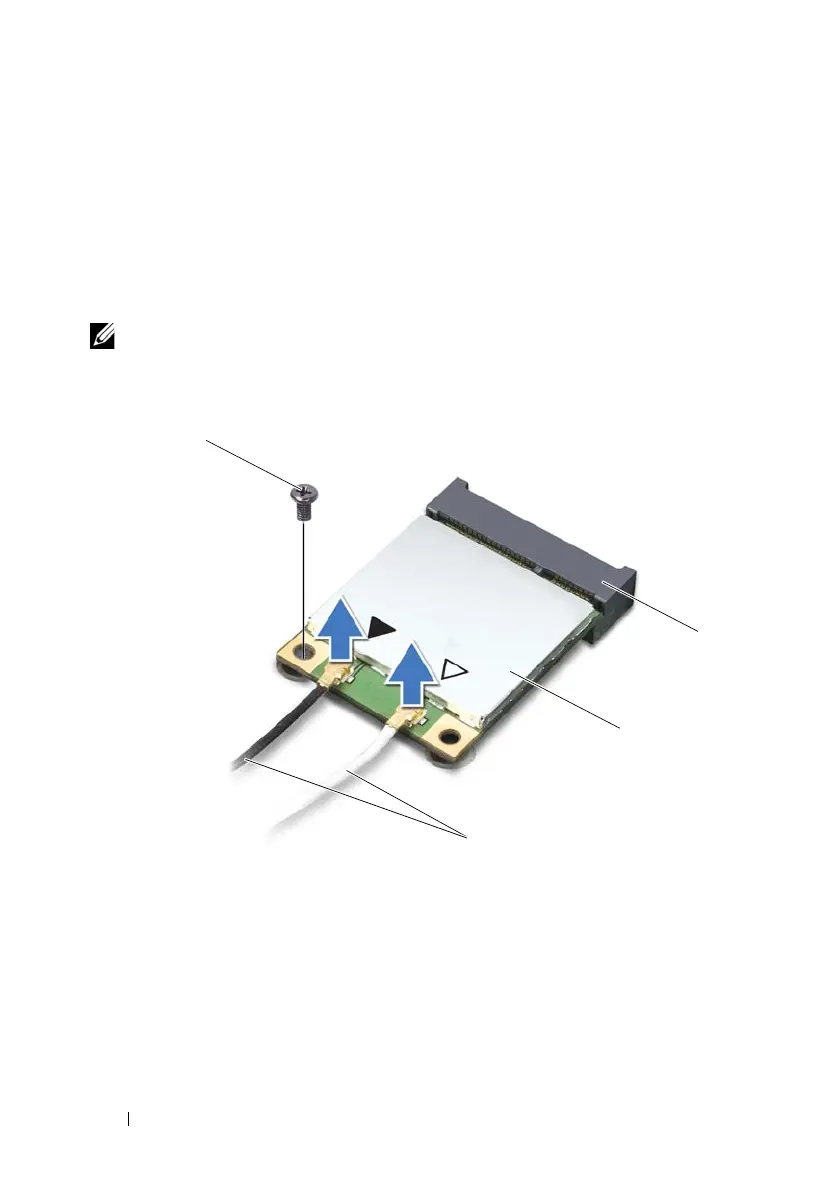
Disconnect the antenna cables from the Mini-Card(s).
8
Remove the screw that secures the Mini-Card to the system board.
NOTE: Your computer can only support either a WWAN Mini-Card or a TV tuner
module in the full Mini-Card slot at a time.
9
Lift the Mini-Card(s) out of the system-board connector.
1 antenna cables (2) 2 Mini-Card
3 system-board connector 4 screw
book.book Page 22 Wednesday, April 25, 2012 2:11 PM



 To Next Page