Display 63
b
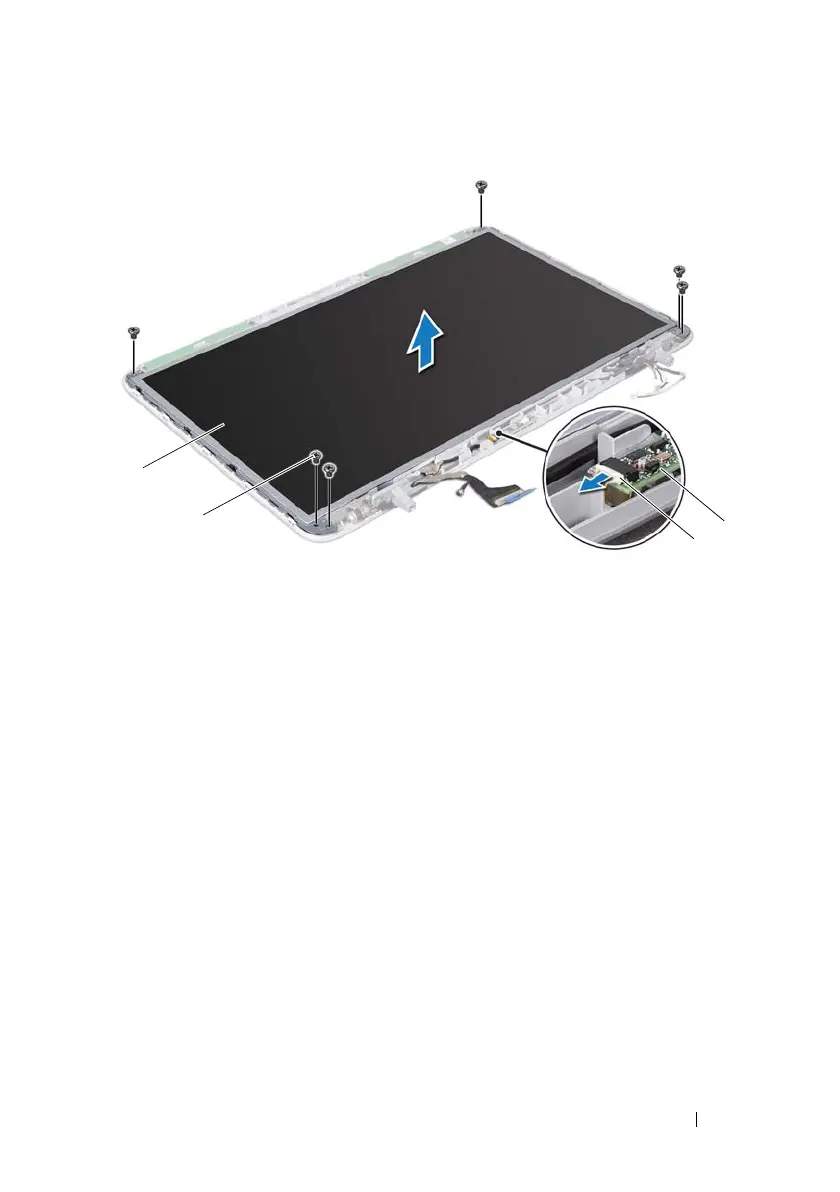
Remove the six screws that secure the display panel to the display back
cover.
7
Note the routing of the antenna cables and remove them from the routing
guide on the right display hinge.
8
Note the routing of the display cable and remove it from the routing guide
on the left display hinge.
9
Lift the display panel off the display back cover.
Replacing the Display Panel
1
Follow the instructions in "Before You Begin" on page 9.
1 display panel 2 screws (6)
3 IR emitter board cable 4 IR emitter board
book.book Page 63 Wednesday, April 25, 2012 2:11 PM



 To Next Page