Display 59
Display Bezel
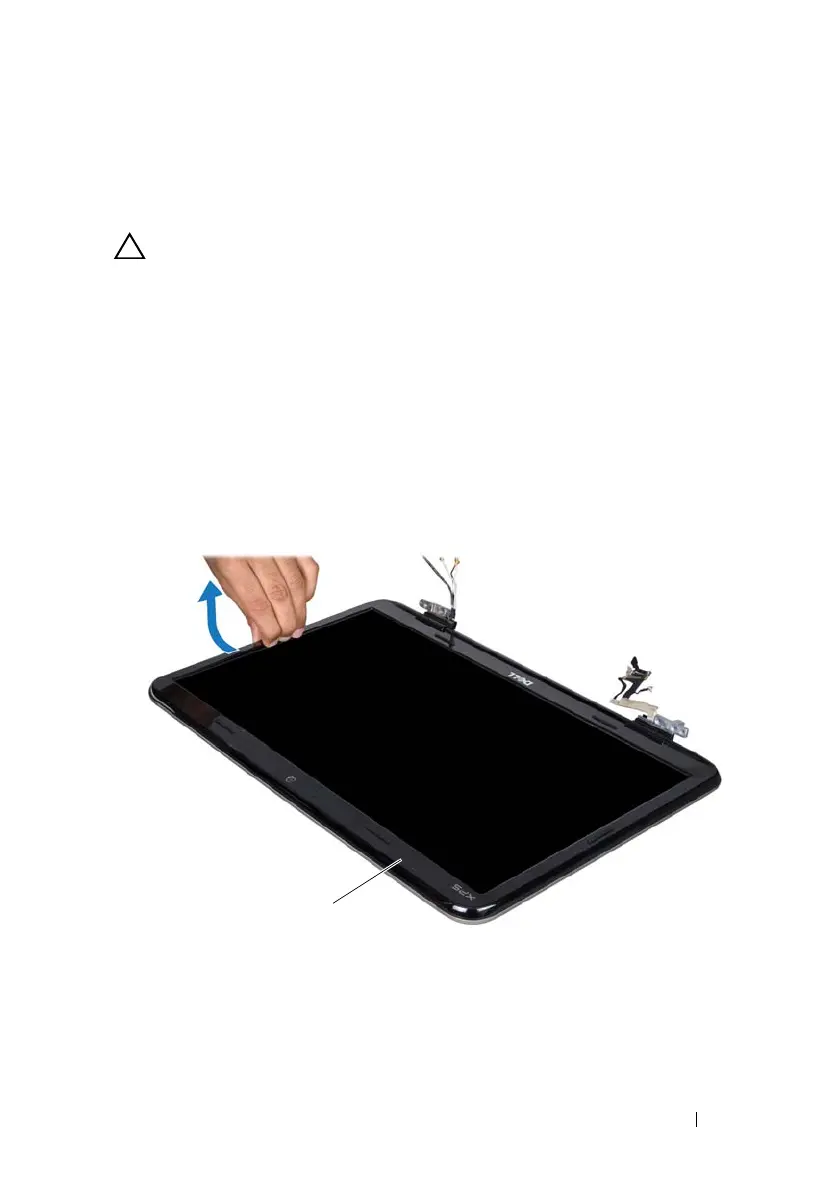
Removing the Display Bezel
CAUTION: The display bezel is extremely fragile. Be careful when removing it to
prevent damaging the bezel.
1
Follow the instructions in "Before You Begin" on page 9.
2
Remove the display assembly (see "Removing the Display Assembly" on
page 55).
3
Push the display bezel outwards to release it from the tabs that secure the
display bezel to the back cover.
4
Using your fingertips gently pry the outside edge of the display bezel off
the back cover.
5
Lift the display bezel off the display assembly.
1 display bezel
book.book Page 59 Wednesday, April 25, 2012 2:11 PM



 To Next Page