28 Hard Drive(s)
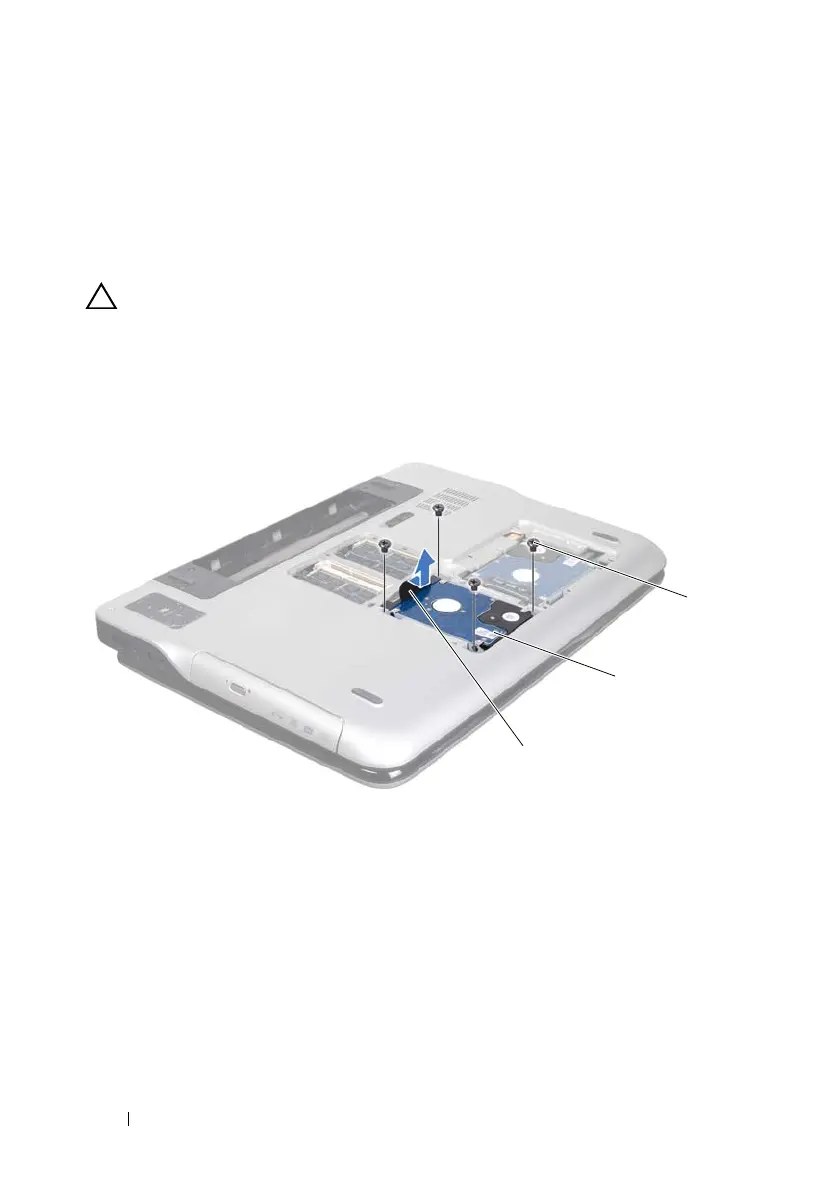
• Remove the four screws that secure the hard-drive assembly to the
computer base.
• Using the pull-tab, slide the hard-drive assembly to disconnect it from
the connector on the system board.
• Lift the hard-drive assembly out of the computer base.
CAUTION: When the hard drive is not in the computer, store it in protective
antistatic packaging (see "Protecting Against Electrostatic Discharge" in the
safety instructions that shipped with your computer).
Hard drive 1
Hard drive 2
1 pull-tab 2 hard-drive assembly
3 screws (4)
book.book Page 28 Wednesday, April 25, 2012 2:11 PM



 To Next Page