Palm-Rest Assembly 39
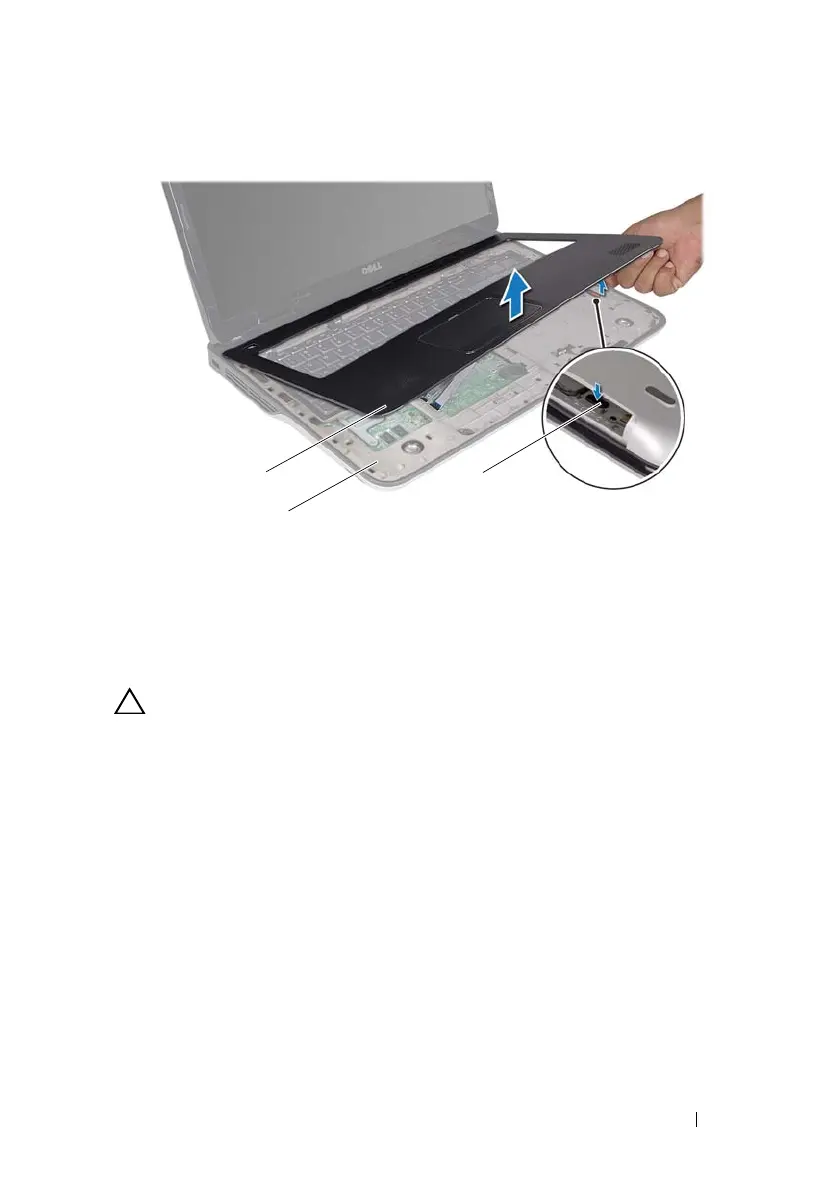
CAUTION: Carefully separate the palm-rest assembly from the top cover to avoid
damage to the palm-rest assembly.
8
Using your fingertips, gently ease the palm-rest assembly from the top
cover.
9
Without pulling hard on the palm-rest assembly, turn the palm-rest
assembly over and place it on the top cover.
10
Lift the connector latch and pull the pull-tab to disconnect the
control-strip cable from the system-board connector.
11
Lift the connector latch and pull the pull-tab to disconnect the touch-pad
cable from the system-board connector.
12
Lift the palm-rest assembly off the top cover.
1 palm-rest assembly 2 top cover
3tab
book.book Page 39 Wednesday, April 25, 2012 2:11 PM



 To Next Page