Display 65
5
Remove the display panel (see "Removing the Display Panel" on page 60).
6
Turn the display panel over and place it on a clean surface.
7
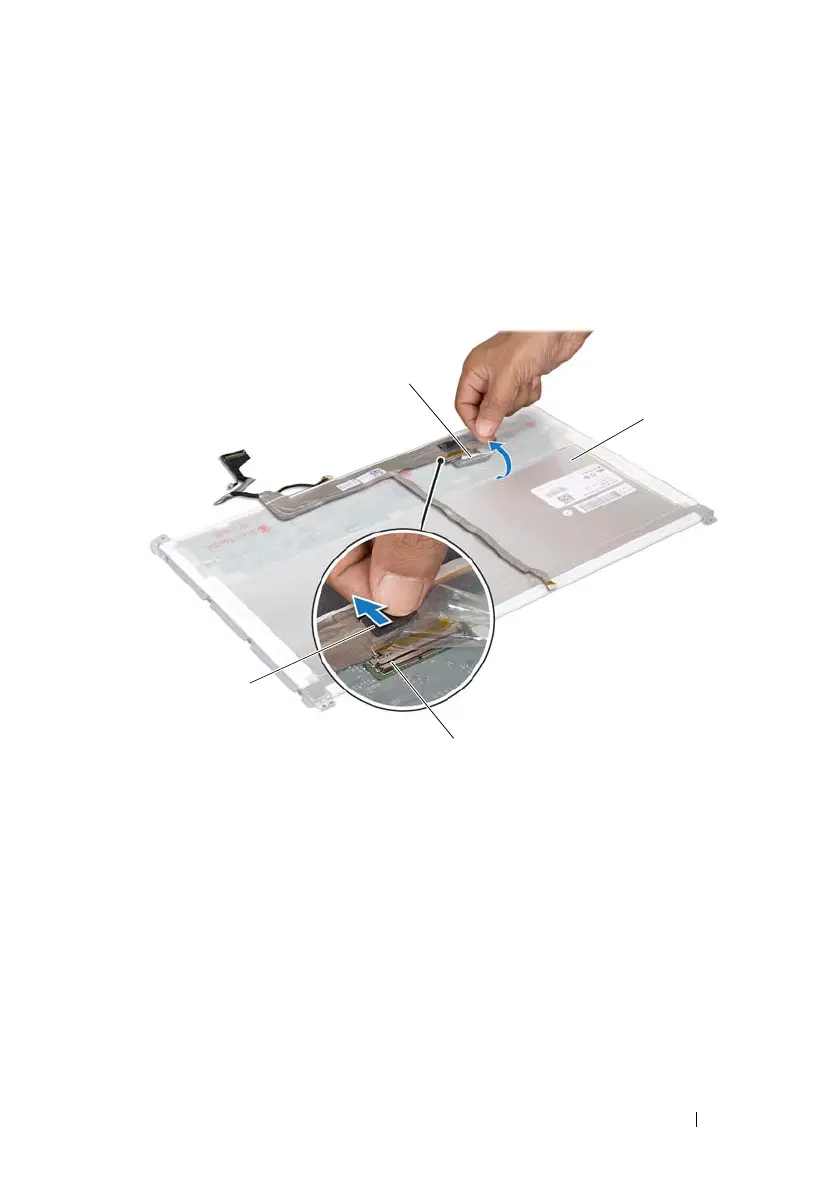
Gently peel off the tape from the display panel.
8
Pull the pull-tab to disconnect the display cable from the connector on the
display panel.
9
Gently peel off the display cable from the back of the display panel.
Replacing the Display Cable
1
Follow the instructions in "Before You Begin" on page 9.
1 display-cable connector 2 pull tab
3 tape 4 back of the display panel
book.book Page 65 Wednesday, April 25, 2012 2:11 PM



 To Next Page