46 │ Setting up the monitor
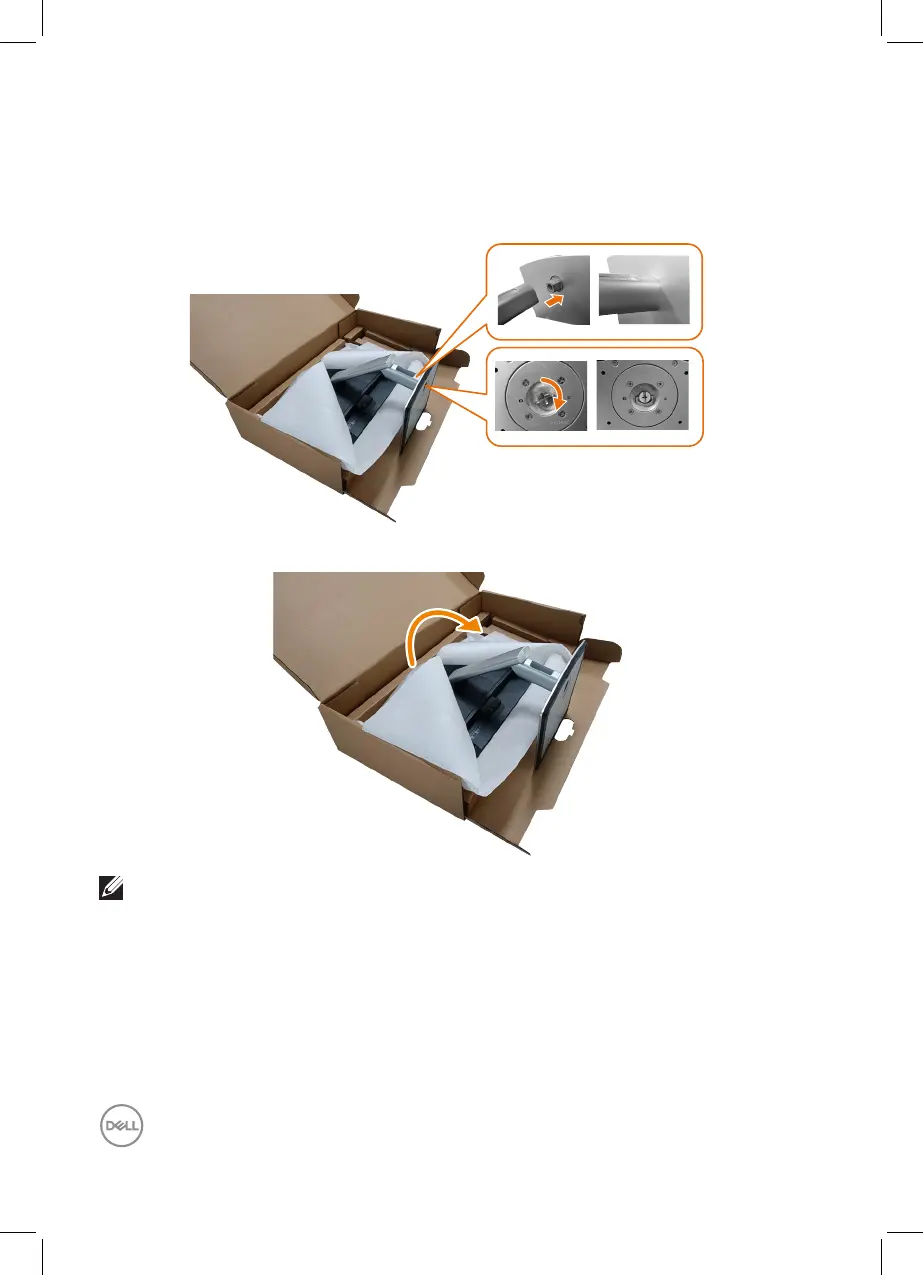
6. Align the stand base protruded blocks to the matching slot on the stand.
7. Insert the stand base blocks fully into the stand slot.
8. Lift the screw handle and turn the screw clockwise.
9. After fully tightening the screw, fold the screw handle flat within the recess.
10. Hold the stand riser and lift the monitor carefully, then place it on a flat surface.
NOTE: Lift the monitor carefully to prevent it from slipping or falling.



 To Next Page