48 │ Setting up the monitor
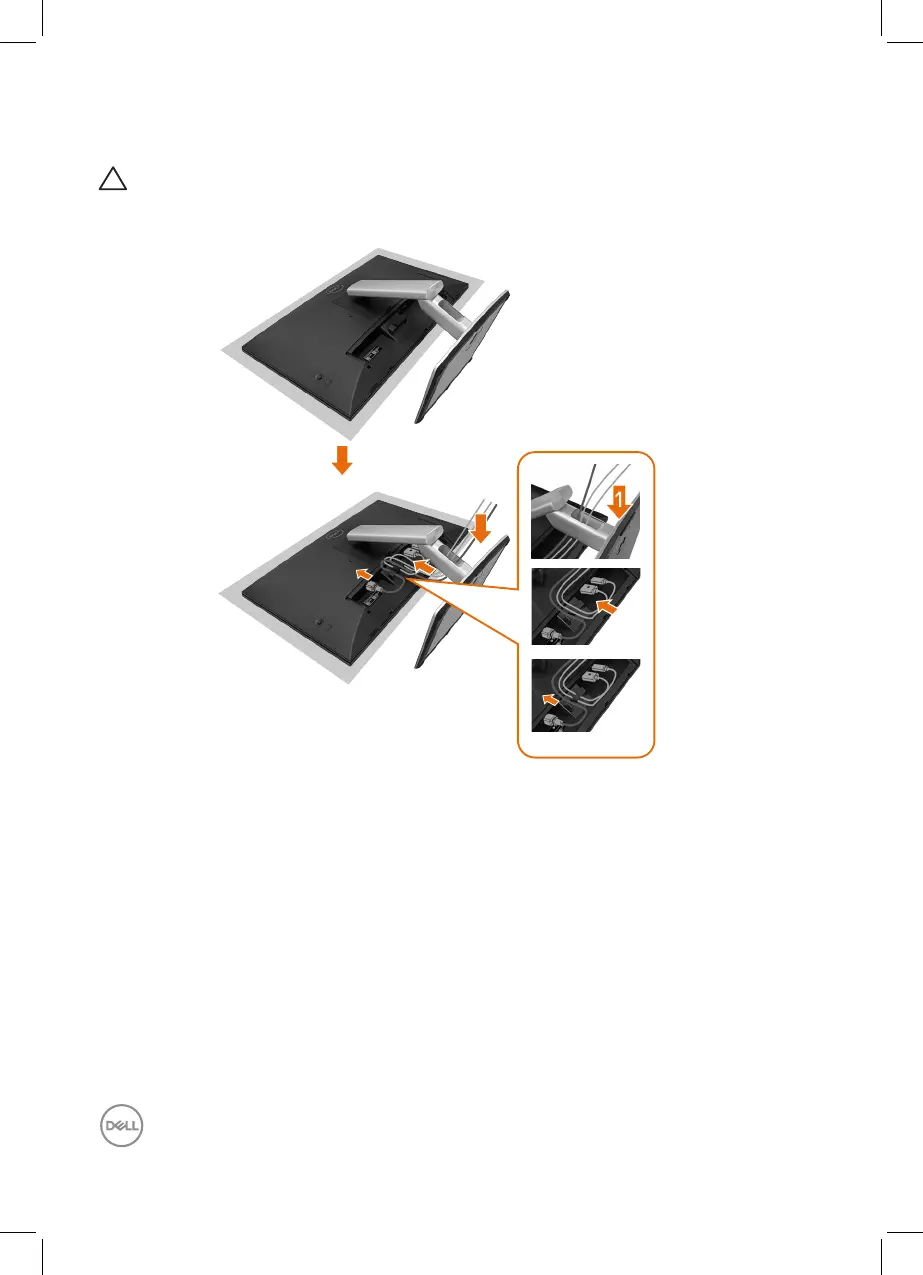
Routing the Cables
CAUTION: Place monitor on a flat, clean, and soft surface to avoid
scratching the display panel. You can use the EPE foam cover as a
protective blanket.
2
3
1
3
2
• Spread the monitor protective cover on a flat surface.
• Place the monitor with its front facing downward on it.
• To routing the cables:
1. Insert DP cable into DP connector (see Connecting Your Monitor), press the
long side of cable hook and push cable to it from top to down.
2. Repeat step 1 to insert HDMI/USB cables into corresponding connector and
organize the cables.
3. Insert and organize the power cable and tighten all the cables as shown
above.



 To Next Page