Operating the monitor │ 71
Using the On-Screen Display (OSD) menu
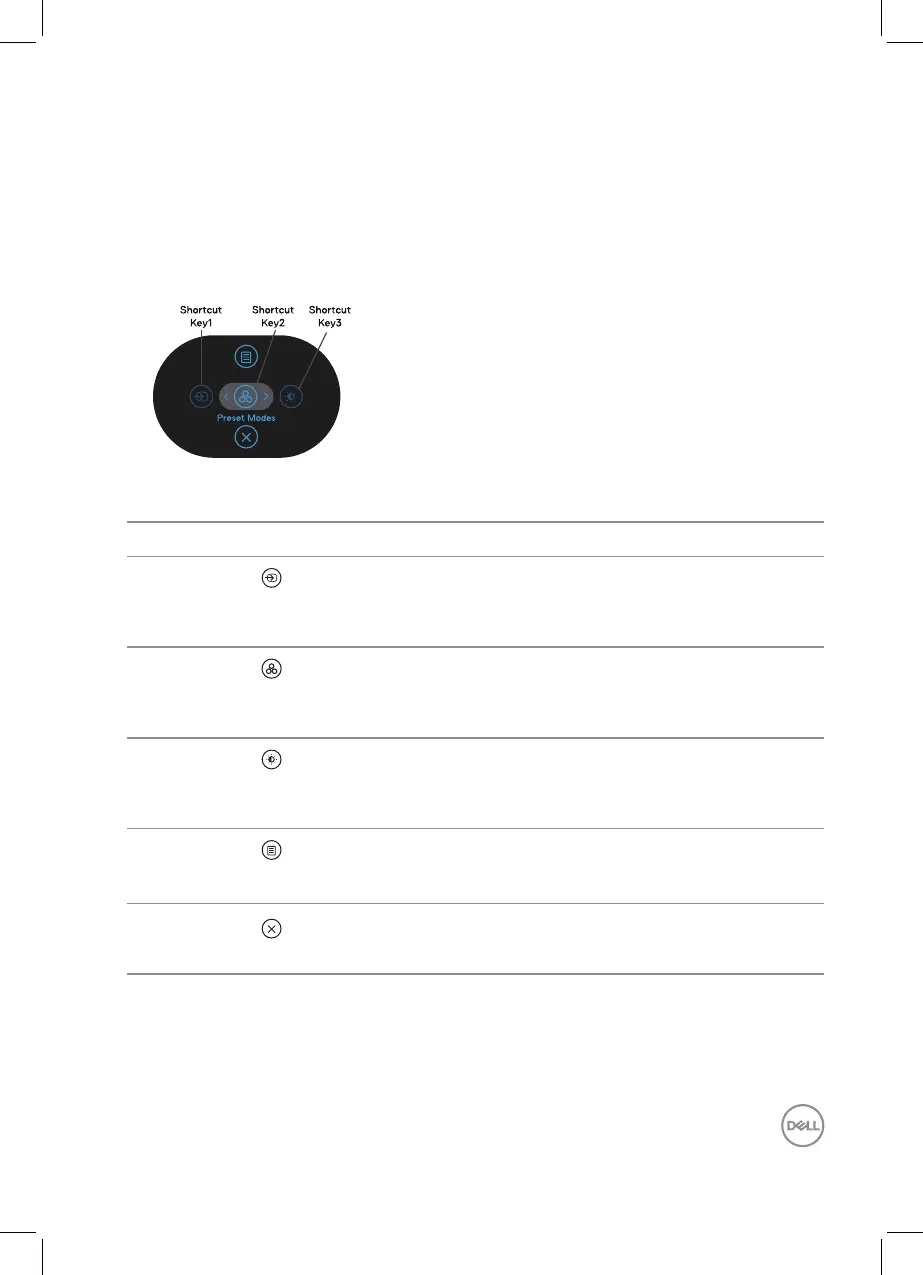
Accessing the Menu Launcher
When you toggle or press the joystick, the Menu Launcher appears to let you
access the OSD main menu and shortcut functions.
To select a function, move the joystick.
The following table describes the Menu Launcher functions:
Joystick Description
1
Shortcut key/ Input
Source
To choose an input source from the list of video
signals that may be connected to your monitor.
2
Shortcut key/ Preset
Modes
To choose a preferred color mode from the list of
preset modes.
3
Shortcut key/
Brightness/Contrast
To access the adjustment sliders of brightness and
contrast.
4
Menu
To launch the On-Screen Display (OSD) main menu.
See Operating the monitor.
5
Exit
To exit the Menu Launcher.



 To Next Page