56 │ Setting up the monitor
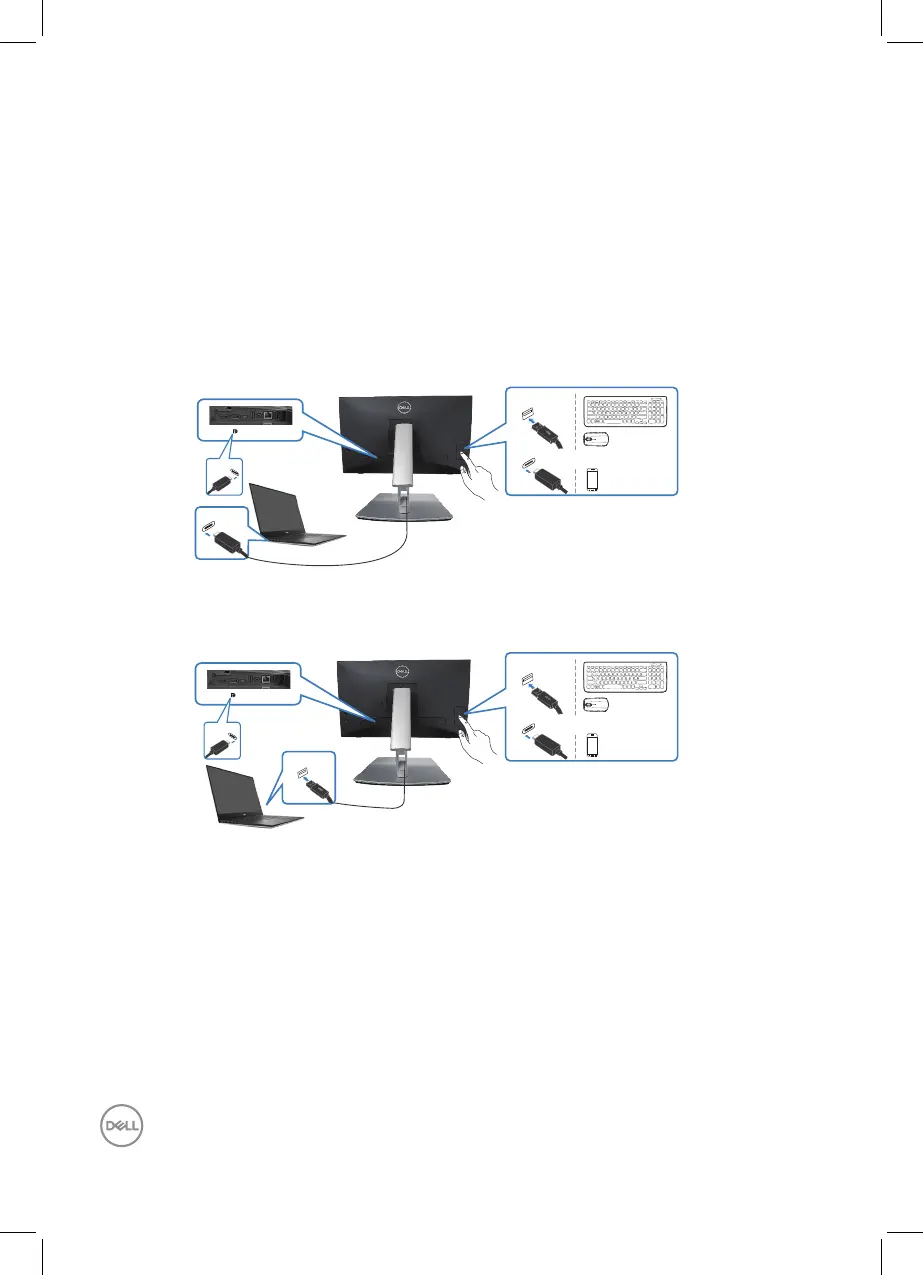
Use Quick Access Ports
1. Connect the USB-C (C-C) or USB-C (C-A) cable from your monitor to the
computer.
2. Push down on quick access door center near inside opening till click sound. The
door will be locked and keep open.
3. Connect USB cables or devices to the quick access ports.
4. After removing USB cables or devices from quick access ports. Push down on
the door center near inside opening till click sound. The door will be released and
back to original position.
USB-C
USB
HDMI USB-C
USB-C
USB-C
or
HDMI USB-C
USB-C
USB-A
USB-C
USB



 To Next Page