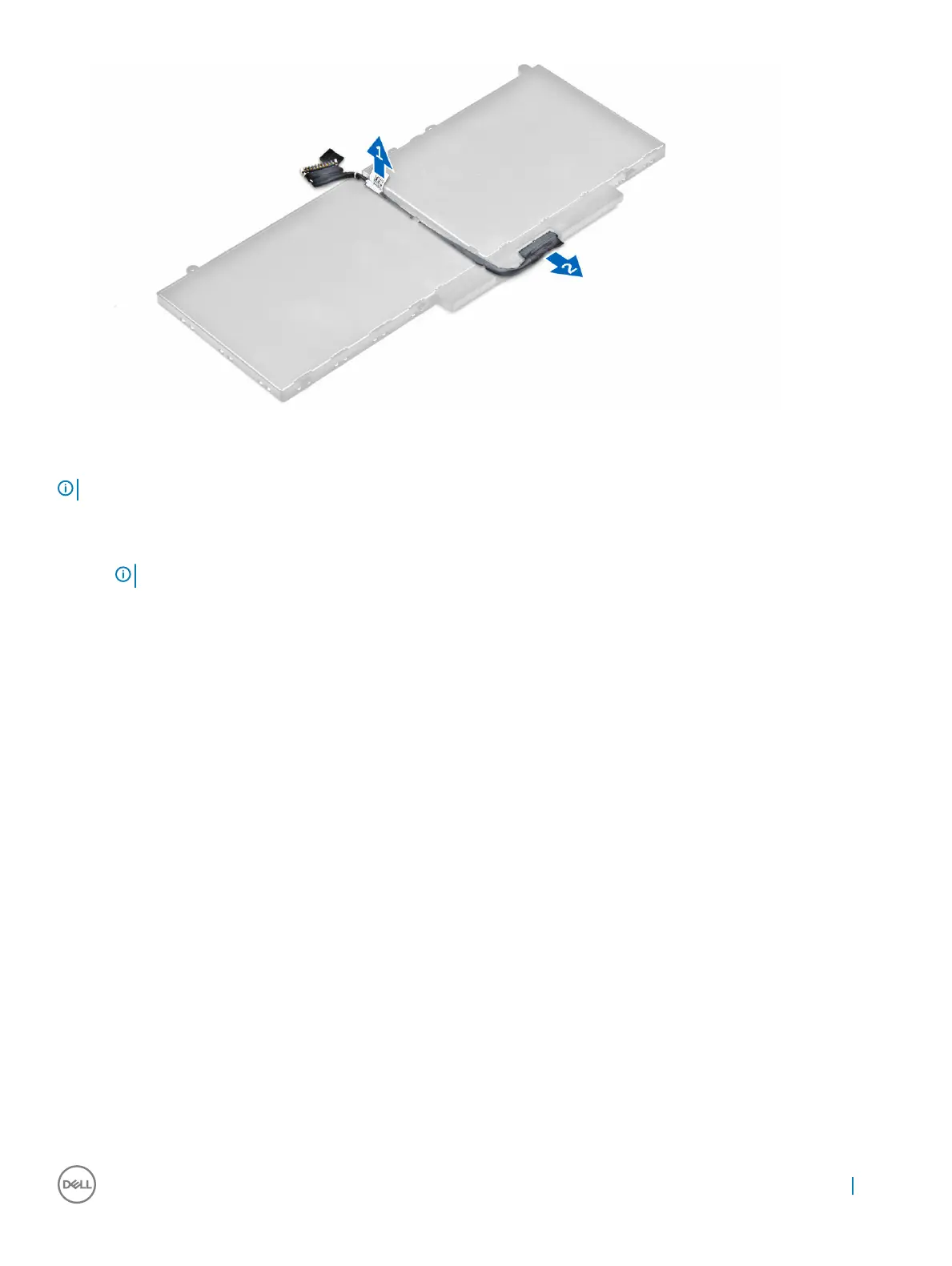
Installing the battery
NOTE: If your computer supports a 6-cell battery, it will not support a hard drive.
1 Connect the battery cable to the connector on the battery.
2 Route the battery cable through the routing channel on the battery.
NOTE
: This step is applicable only for a 4-cell battery.
3 Insert the battery into the slot on the computer.
4 Tighten the screws to secure the battery to the computer.
5 Connect the battery cable to the connector on the system board.
6 Install the base cover.
7 Follow the procedure in After working inside your computer.
Removing the hard drive assembly
1 Follow the procedure in Before working inside your computer.
2 Remove the:
a base cover
b battery
3 To remove the hard drive assembly:
a Disconnect the hard drive cable from the connector on the system board [1] .
b Remove the screws that secure the hard drive assembly to the computer [2].
c Lift the hard drive assembly away from the computer [3].
Removing and installing components
11



 To Next Page