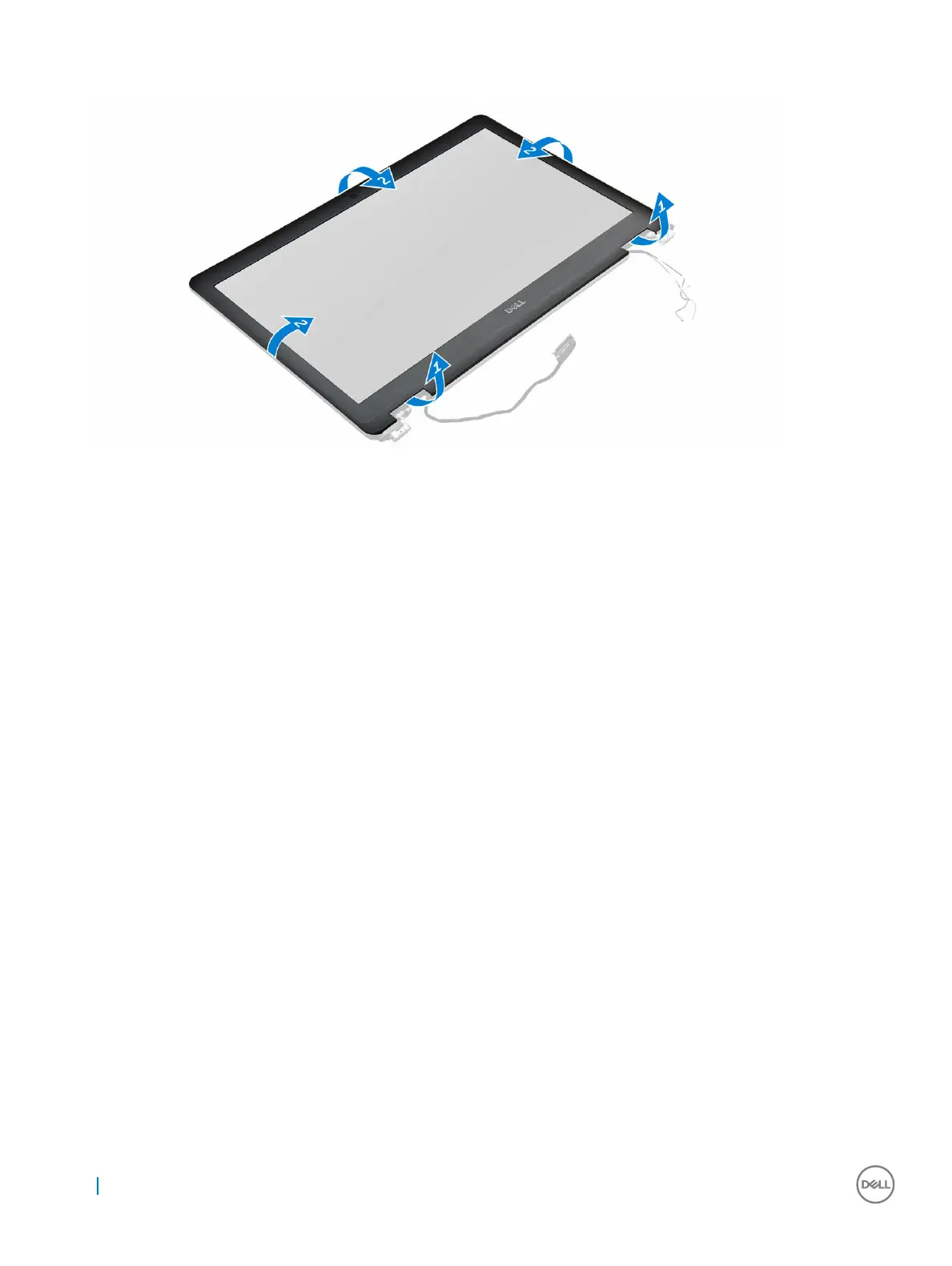
3 Using a plastic scribe, release the tabs on the edges to release the display bezel from the display assembly [1, 2].
4 Remove the display bezel from the display assembly.
Installing the display bezel
1 Place the display bezel on the display assembly.
2 Press the edges of the display bezel until it clicks onto the display assembly.
3 Install the:
a display assembly
b battery
c base cover
4 Follow the procedure in After working inside your system.
Removing the display panel
1 Follow the procedure in Before working inside your computer.
2 Remove the:
a base cover
b battery
c display assembly
d display bezel
3 To remove the display panel:
a Remove the screws that secure the display panel to the display assembly [1].
b Lift the display panel and flip the display panel to access the eDP cable [2].
c Peel the adhesive tape [3] to access the eDP cable.
d Disconnect the eDP cable from the connector [4, 5, 6].
e Lift the display panel from the computer.
22
Removing and installing components



 To Next Page